2nd grade technology activities

Binary bracelets rebuilt so a coded word has to cross the room and arrive right, five more activities by standard, a free sheet, and the CSTA standards each one teaches.

Who we are. Mission.io makes Missions: teacher-led, whole-class simulations where students use what they’re learning to work through a real scenario together.

Everything on this page works without us. The standards each one teaches are at the end, and so is The Speed of Change, the science Mission we’d run with this grade. (Its AI mixes up slow and quick changes, so erosion happens instantly.)

On this page

What 2nd grade technology looks like

Second grade technology activities are computer science with beads, arrow cards, and crayons: the class turns a word into symbols, writes steps a classmate has to follow exactly, and checks the work before anyone else sees it. This page teaches five of the CSTA computer science standards for grades K to 2 (level 1A).

Plenty of searches for 2nd grade technology mean the computer lab: logging in, typing, using a device safely. This page covers the computer science, and the 3rd grade page has the password lesson. For the rest, Common Sense Education’s digital citizenship lessons and CS Unplugged are free, and the ISTE Standards for Students (Empowered Learner, Digital Citizen, and five more) name the skills.

Second grade is the last year of level 1A. The activities here teach using numbers or symbols to stand for information (1A-AP-09), turning a task into a precise sequence of steps (1A-AP-11), building sequences with simple loops (1A-AP-10), finding and fixing errors (1A-AP-14), and showing the same data more than one way (1A-DA-06). By the end of the band, students also create and follow algorithms, explain what passwords are for, plan a program, and work responsibly online. These are CSTA’s 2017 codes, the set Code.org’s lesson pages list. CSTA published a revised PK-12 set in 2026.

Picture the usual version: every child beads the first letter of their name, wears it to recess, and nobody else ever reads it. The code only matters once a classmate has to decode the message, and one wrong bead sends the club to the wrong meeting spot.

Six things that turn a bead craft into CS

CSTA counts the people at the table as part of computer science. Of the seven core practices in the CSTA computer science standards, one is collaborating around computing and another is fostering an inclusive computing culture, next to testing and refining what you build (CSTA, 2017). For seven-year-olds that looks like a word one child encodes, a second strings, and a third checks before it leaves the table, with a name on every job.

  1. 1. A real problem with stakes the class can feel.

    A bracelet with your initial on it goes home either way. A message the club needs to find its meeting spot only works if it arrives.

  2. 2. Apply, don't recall.

    The code card gets used: every letter one team sends, another team has to read back with only the card. If nobody has to decode it, nothing got tested.

  3. 3. Group goals with individual accountability.

    The one the bracelet misses: every child beads alone, and nobody checks anybody. When the group shared a goal and each student answered for a part, 84% of studies found a positive effect; without both, 17% (Slavin, 1991).

  4. 4. The teacher leads the thinking.

    Three questions at the table (what does a filled square mean, read me this letter from the beads, what happens if one bead is wrong) do more than the code card can on its own.

  5. 5. A debrief where the class argues it out.

    The swap is the setup. The talk afterward, about which words arrived and where the wrong bead was, is where 2nd graders work out why one bead changes the whole letter.

  6. 6. A way to see who did what.

    If you can’t tell who encoded, who strung, and who caught the mistake, all you have is a table of bracelets.

Every bead means something. A wrong one means something else.

The free sheet at the end of the next section carries the code card, three role cards, and a tally for all four behaviors. Get the sheet →

Binary bracelets, rebuilt for 2nd grade (1A-AP-09)

Each student looks up a letter on a code card, turns it into five squares, filled or empty, and strings it in two colors of beads. It’s Code.org’s “Binary Bracelets”, written for second grade, and Code.org publishes its Course C version aligned to 1A-AP-09 and 1A-AP-11. The way it usually runs is one child, one initial, and a bracelet nobody else has to read. Here’s the version that hits all six. (Symbols stand for letters here; the standard doesn’t ask 2nd graders for place value in base two, and neither does this page.)

Time
45 minutes, and it fits.
Groups
Threes. With 25 students, eight groups of three and one class Courier, who carries strands between tables and logs who sent what.
Supplies
Pony beads in two colors (a tub is about $6), pipe cleaners or string, and the code card and word list on the sheet. About $8.
Standards
1A-AP-09 (use numbers or other symbols to represent information), with 1A-AP-11 (a precise sequence of steps) in the decoding and 1A-AP-14 (find and fix an error) in round two.
  1. Teach first, 8 minutesApply

    Hold up a light switch and name its two states, off and on. Show that two switches make four patterns, three make eight, and five make enough for every letter. Then the code card: each letter is five squares, filled or empty. Encode the letter A together on the board.

  2. The problemStakes

    A secret club needs to pass a one-word message across the classroom so only members with the code card can read it. A wrong letter sends the club to the wrong meeting spot. Each team encodes a three-letter word from the sheet’s list, passes its beaded strand to another team, and that team decodes it. The sending team scores only if the word arrives right.

  3. Three roles, one job eachAccountability

    On the cards, with a name on each. Rotate after every letter so everyone encodes.

    • Encoder

      Looks up each letter on the code card and reads the five squares aloud: filled, empty, empty, filled, filled.

    • Beader

      The only hands on the beads. Strings exactly what the Encoder says, one bead per square, with a spacer between letters.

    • Checker

      Reads the strand back against the code card before it goes, and says "send" or "fix."

  4. You lead the thinkingTeacher leads

    Three questions, asked at the table: What does a filled square mean, and what does an empty one mean? Read me this letter from the beads, not the card. What happens to the word if one bead is wrong? Then step back. The Checker does the checking, even when you can see the mistake from across the room.

  5. Two rounds, so the code has to be readApply

    Round one: encode and send a three-letter word, then decode the word another team sent you. Round two: a second word, and this time you slip one wrong bead into one team’s strand before it goes. The receiving Checker has to find it. Round two only works if the class learned to read beads in round one.

  6. The debrief, 8 minutes on the rugDebrief

    Which words arrived right, which didn’t, and where was the wrong bead? Why does one bead change the whole letter? Who in your group caught a mistake before the strand was sent? Save the last minute for that Checker and the bead they caught.

  7. See who did whatSee who did what

    The observation sheet, four behaviors per child: encoded a letter correctly from the card, decoded a letter from beads, caught an error, explained what a bead stands for. Beading is slow and quiet, so the tally catches about half the room in one period.

(If your two bead colors look alike, swap one before round one. Light blue next to white can start an argument the code card can’t settle.)

Keep the code card on the wall. Any week, a spelling word in beads makes a five-minute warmup.

The binary bracelets, free

Emailed now, ready to copy: the teacher page, three role cards, the five-square code card from A to Z, the encode and decode strips, the three-letter word list with an answer key, and the four-behavior tally.

It’s on its way.

Check your inbox for the binary bracelets.

Email me the sheet. It comes as a PDF, ready to print. Unsubscribe anytime.

Five more 2nd grade technology activities, by standard

Five more you’ll find in 2nd grade plans, set in CSTA’s order. Each one says how it usually runs and which of the six it misses.

Passwords, data, programming

2. Password Power-Up (1A-NI-04)

Needs a board and a few made-up passwords. Whole class.

Common Sense Education’s Password Power-Up has the class talk through what makes a password strong (long, mixed, nothing anyone could guess about you) and why nobody else gets to know yours. In 2nd grade it runs as a discussion, which is a good place to start. As usually run, though, the rules get nodded at and never tested, because nobody ever tries to guess a password.

The fix

  1. Write three passwords on the board, a pet’s name, “password123,” and a long phrase, and ask which one a stranger who knows you could guess.
  2. Read the class a made-up profile card (a pet, a favorite team, a birthday), and let them try to guess one of your passwords from it.
  3. End on the rule that would have stopped the guess.
See Password Power-Up on the 3rd grade page →

3. A class survey on a device (1A-DA-06)

Needs a device, one question the class wants answered. Whole class.

The class picks one question it wants answered, like which recess game wins, collects everyone’s answer, and charts it on a screen. It’s real data with a real question behind it. As usually run, though, you hold the device and the class calls out answers, so nobody answers for a part of the work and nothing shows who could read the chart.

The fix

  1. Split the class into small groups, each with an Asker, a Tallier, and a Checker who recounts the tally.
  2. Have each group’s Checker read its count into the chart, so every number on the screen has a name behind it.
  3. Ask each child one question about the finished chart, and tick who answers it.

No page for this one; it misses those two.

4. Happy Maps and the floor-grid robot (1A-AP-08)

Needs tape for a floor grid, arrow cards. Small groups.

Students lay arrow cards as a program that walks a classmate, the robot, from the start square to the goal on a taped floor grid, and Code.org’s Happy Maps is the same idea on paper. 2nd graders have usually done it before, so it’s a quick warmup on the rule that a robot follows only the cards, in order. As usually run, though, one child lays the cards while the rest of the group waits.

The fix

  1. Use the kindergarten page’s three roles: a Programmer, a Robot, and a Checker who traces the row with a finger before anyone moves.
  2. Lay the whole program down before the robot takes a step, and keep it to one quick round.

See the floor-grid robot on the kindergarten page →

5. Pixel art from a number code (1A-AP-09)

Needs a grid sheet, a list of numbers, crayons. Pairs.

Students color a grid from a list of numbers, row by row, until a picture appears. The code gets used, square by square. As usually run, though, it’s a worksheet each with nothing riding on it, and a finished picture can’t show who read the code and who just filled in the shape.

The fix

  1. Pair students as a Reader, who reads each number aloud, and a Colorer, who holds the only crayon and colors only what’s read.
  2. Halfway down the grid, swap jobs, so each partner reads and each partner colors.

No page for this one; the bracelets teach the same standard.

6. Loops with dance moves (1A-AP-10)

Needs room to move. Whole class.

The class writes a dance as a list of moves (step, step, spin, step, step, spin), spots the moves that repeat, and rewrites them as a loop. The thinking is real, and you lead it from the front. As usually run, though, it’s one whole-class dance, so everyone follows the leader and nothing shows who found the repeat.

The fix

  1. Give each pair a short list of moves, and have them circle the part that repeats and rewrite it as a loop.
  2. One partner reads the loop while the other dances it, then they swap.
  3. Collect the loop cards, so you can see which pairs found the repeat.

No page for this one; the two misses are the whole list.

  • Our part · We make Missions

    When the science unit comes around

    Plenty of teachers rebuild these by hand every unit, and it works. A Mission is a teacher-led, whole-class simulation built from a unit you teach. We don’t make a computer science, cybersecurity, or digital citizenship Mission below 4th grade. What we’d run with a 2nd grade class is a science Mission about an AI that mixes up Earth’s slow and quick changes. When the science unit turns to fast and slow changes to Earth’s surface, run sugar cube weathering on the 2nd grade science page, then The Speed of Change.

    You're at the helm, not on the hook.

    The Speed of Change: Earth's surface, as a Mission

    The Speed of Change · 2nd grade · Fits one class period · One device per student, plus your projector · Free with a teacher account

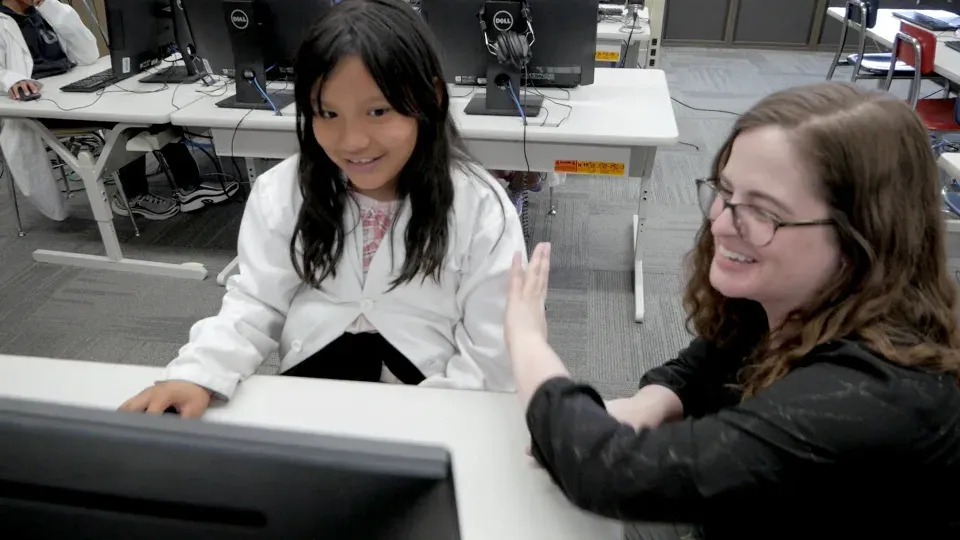
    A smiling girl in a white lab coat sits at a computer while a teacher in glasses leans in beside her, laughing, one hand raised.
    A teacher and a student in a lab coat share a laugh at the student's computer.

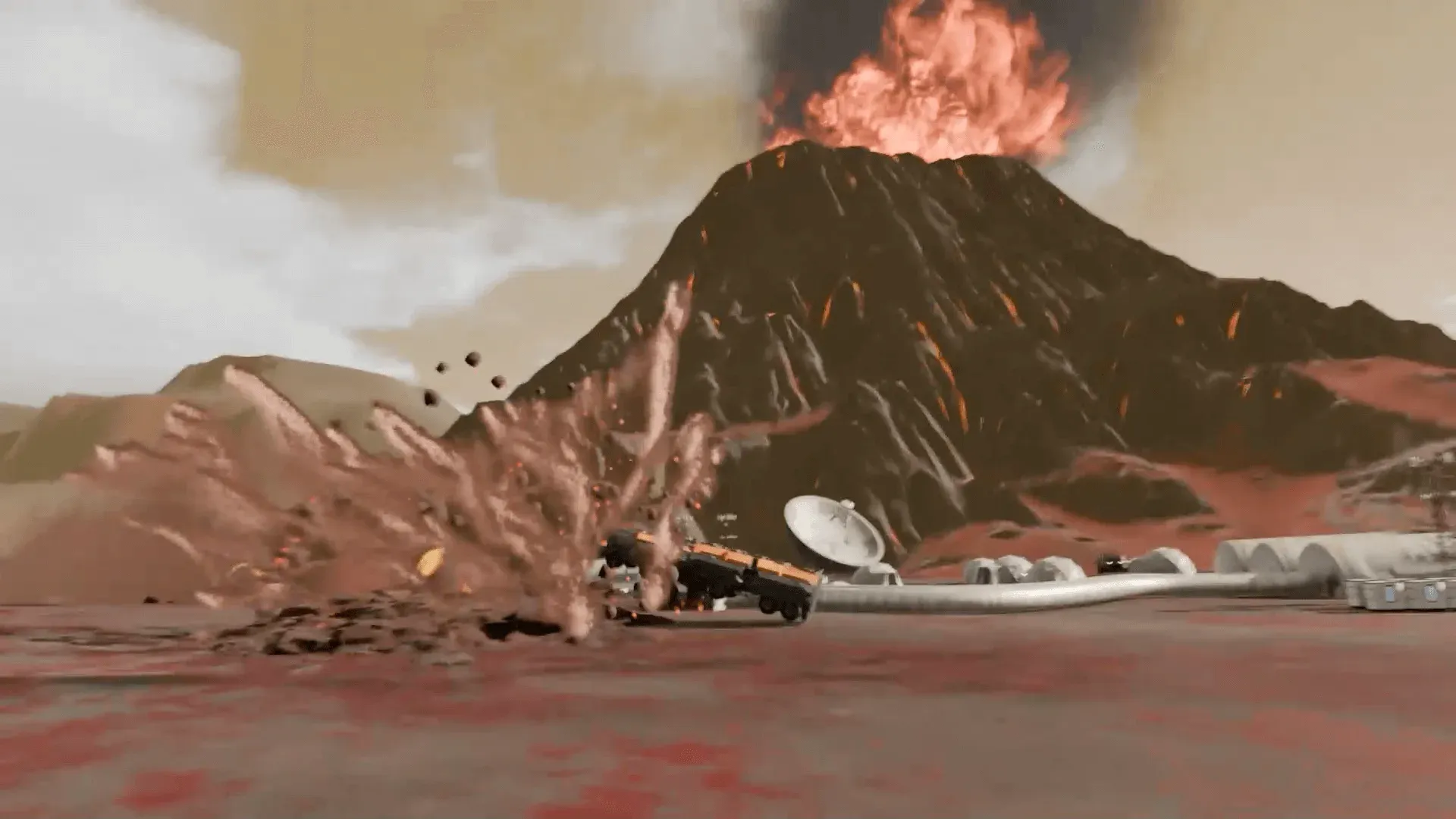
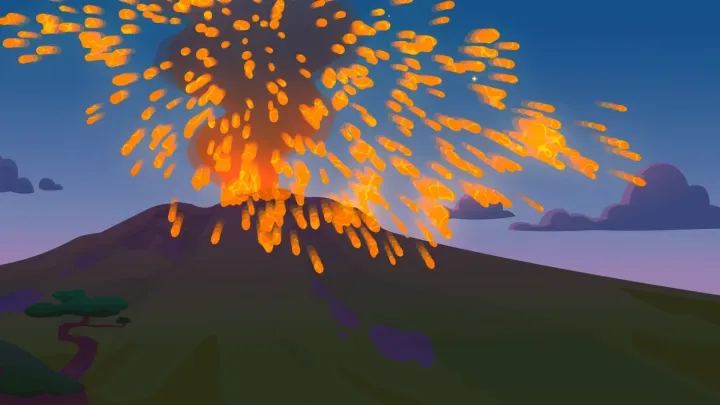
    The AI in charge of managing Earth’s surface has glitched, and it’s wreaking havoc. It’s confusing slow changes with quick ones, so wind storms and erosion happen instantly, while changes that are usually quick drag on for a long time. The crew has to retrain the AI in Earth’s natural processes and get everything back on track. The story plays on the projector. The work happens at seven stations (Command, Engineering, Medical, Security, Science, I.T., Operations) and in the arguments between them.

    Every student is assigned to a team, and each team’s work is themed to it, from its own information and challenge to the same problem the rest of the crew is solving. The team gives a student a role in the story and people to lean on while you move between teams. You’re at the helm, asking which of these changes should be quick and which should be slow.

    The vocabulary is the unit’s: landscape, Earth’s surface, changes, slowly, quickly. It expects students who know that Earth’s surface changes naturally over time and who can work with classmates. Its record lists NGSS 2-ESS1-1, a science standard. Run the sugar cube weathering first, and tell the class why: the AI has fast and slow backwards, and they’re the ones who’ll set it straight. The lesson prepares them. The Mission is what they’re preparing for.

    “My students ask every time they walk in the door, ‘IS IT A MISSION DAY?’”

    Kate Fallon, Teacher, St. Amelia School, NY

    Will it work in my room?

    Students join with a class code: no student accounts, no student email, no passwords. Chromebooks, laptops, or tablets, plus your projector. Free for teachers, no credit card. Student data is covered by COPPA and FERPA, and we signed the Student Privacy Pledge. The Speed of Change fits in one class period; watch its 5-minute Teacher Preview before you plan the day.

    START FREE →

    Communication first, then The Speed of Change

    What the report shows

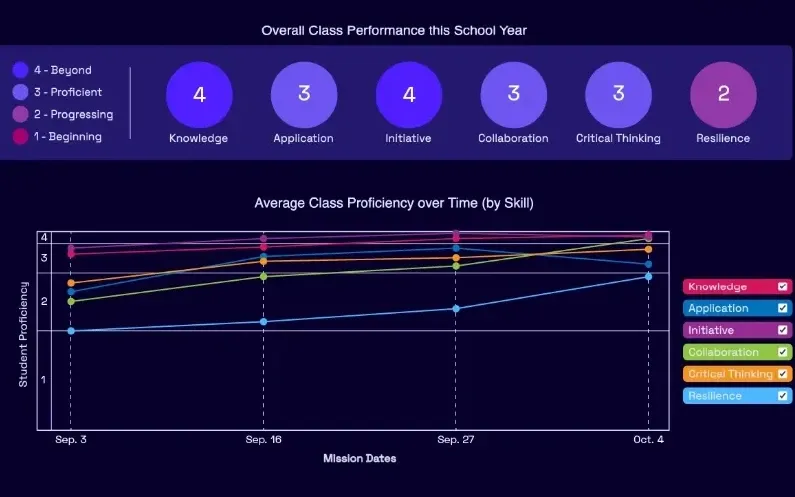
    A Mission.io class report: the class score in each of six skills, from knowledge and application to collaboration, critical thinking, and resilience, with the class chart across the year below.
    A class report from a real Mission: the class score in each of six skills, then each skill across the year.

    Every Mission produces a report for every student, built from what that student did across the whole Mission, on the skills the Mission captured. The six it can capture are Knowledge, Application, Initiative, Collaboration, Critical Thinking, and Resilience. The first two are what a test already sees. The other four are the human skills every school promises. The test shows what they know. The report shows the rest. SEE THE EVIDENCE →

    You taught it. Now find out who can use it.

    Who's behind it

    Mission.io is a research and design organization with one job: make collaborative, active learning something a teacher can run every unit instead of once a semester, and put a report in your hands when it’s over. Over a million students have run a Mission. The research behind them is funded by the National Science Foundation and the U.S. Department of Education’s Institute of Education Sciences, and Mission.io meets ESSA Level II standards, as validated by Instructure.

    Grades K to 2 CSTA standards this page teaches

    This page’s activities teach five of CSTA’s 18 computer science standards for grades K to 2. The table pairs each with its activity, and each code opens CSTA’s table of the 2017 standards.

    The five standards this page teaches

    Symbols, precise steps, debugging, charts, and loops.

    The grades K to 2 (level 1A) CSTA standards this page's activities teach, in CSTA's words.
    The standardOn this page
    1A-DA-06 Collect and present the same data in various visual formats.On this page: 3. The class survey
    1A-AP-09 Model the way programs store and manipulate data by using numbers or other symbols to represent information.On this page: 1. The binary bracelets and 5. Pixel art
    1A-AP-10 Develop programs with sequences and simple loops, to express ideas or address a problem.On this page: 6. Loops with dance moves
    1A-AP-11 Decompose (break down) the steps needed to solve a problem into a precise sequence of instructions.On this page: 1. The bracelets, decoding
    1A-AP-14 Debug (identify and fix) errors in an algorithm or program that includes sequences and simple loops.On this page: 1. The bracelets, round two

    The science Missions for this grade

    We make no computer science Mission below 4th grade, so both Missions that run at 2nd grade are science: one on Earth’s surface, one on light. None lists a CSTA code.

    The science Missions that run at 2nd grade, with their record codes.
    NumberMissionTopic (code)Minutes
    7The Speed of ChangeRetrain the glitching AI in the natural processes of Earth (NGSS 2-ESS1-1)not listed
    8Botspace BoysGet RALF’s parking ticket number to air control with a light device (NGSS 1-PS4-4)18
    START FREEMISSION BRIEF →

    Free teacher account, no card. Start with the Communication Mission, marked Start here in your library, then The Speed of Change, each after its 5-minute Teacher Preview.

    Also at this grade

    The 2nd grade STEM activities page lists the grade’s Missions in every subject; the 2nd grade science activities page has sugar cube weathering, the activity to run before The Speed of Change; the 2nd grade math activities page has the class bar graph; and the kindergarten technology activities and 3rd grade technology activities pages rebuild the floor-grid robot and Password Power-Up.

Questions 2nd grade technology teachers ask

Which 2nd grade computer science standards does this page teach?

Five of the CSTA standards for grades K to 2 (level 1A), each with its activity: 1A-DA-06 charts, 1A-AP-09 symbols for information, 1A-AP-10 loops, 1A-AP-11 precise steps, and 1A-AP-14 debugging. They’re CSTA’s 2017 codes.

What technology skills should a 2nd grader have?

A 2nd grader on this page turns a word into symbols a classmate can decode, writes steps exact enough to follow, finds the one wrong bead, spots the loop in a dance, and charts a survey more than one way. The ISTE Standards for Students name seven wider skills: Empowered Learner, Digital Citizen, Knowledge Constructor, Innovative Designer, Computational Thinker, Creative Communicator, and Global Collaborator. Common Sense Education covers staying safe online, and CS Unplugged has more computer science without a screen. Both are free.

Is there a Mission for coding in 2nd grade?

Not in 2nd grade. Our computer science Mission, Cyber Defense Force, is about spotting phishing, and it runs from 4th grade up. What runs at 2nd is science: The Speed of Change and Botspace Boys, and neither lists a CSTA code. The bracelets and the activities on this page carry the computer science.

How do I grade binary bracelets in 2nd grade?

Grade the message, not the bracelet. Did the word arrive, and can the Checker point to the bead that would have changed it? That’s one grade. The four-behavior tally over two or three activities is the other. A team whose first word arrived as nonsense and whose Checker caught the planted bead in round two is the team the debrief should hear from.

Can 2nd graders do computer science without computers?

Yes. Most of this page needs no screen: the bracelets, pixel art, and the dance loops are all unplugged, and only the class survey needs a device. The five standards here are about ideas (symbols, steps, loops, fixing errors), and beads and crayons carry them.

One wrong bead, one wrong meeting spot

Day one, the bracelets by hand with the sheet. When the science unit turns to fast and slow changes, the 2nd grade science page's sugar cube weathering, then The Speed of Change after a 5-minute Teacher Preview. Both free.