3rd grade technology activities

Password Power-Up rebuilt so a classmate with your profile card gets three guesses, five more activities by standard, a free sheet, and the CSTA standards each one teaches.

Who we are. Mission.io makes Missions: teacher-led, whole-class simulations where students use what they’re learning to work through a real scenario together.

Everything on this page works without us. The standards each one teaches are at the end, and so is Melting Point, a science Mission that runs at this grade. (In Melting Point, a strange creature crashes into the middle of Alaska’s ice sculpture festival, and the ice sculptures begin to melt.)

On this page

What 3rd grade technology looks like

Third grade technology activities are where computer science meets the first school account: the class works out what makes a password hard to guess and writes programs a partner has to follow. This page teaches two of the CSTA computer science standards for grades 3 to 5 (level 1B).

Most searches for 3rd grade technology activities mean the lab: typing, logging in, searching safely. This page takes the computer science and the safety. For the rest of digital citizenship, Common Sense Education’s lessons are free, CS Unplugged has more computer science with no screen, and the ISTE Standards for Students (Knowledge Constructor, Creative Communicator, and five more) name the skills.

Third grade opens level 1B. The activities here teach discussing real-world cybersecurity problems and how personal information is protected (1B-NI-05) and building programs with sequences, events, loops, and conditionals (1B-AP-10). Across the band, students also break problems into parts, test and debug, model how information travels across a network, and organize data to support a claim. The codes come from CSTA’s 2017 standards, which Code.org’s lessons list; CSTA put out a revised PK-12 edition in 2026.

Picture the usual version: a good talk about strong passwords, a worksheet, and a class that has never once watched a password get guessed. The danger stays a story. It sticks the first time a classmate holding your profile card gets three tries at it.

Six things that turn a password talk into CS

CSTA’s standards put people in the middle of computer science. Of the seven core practices in the CSTA computer science standards, one is collaborating around computing and another is fostering an inclusive computing culture, next to testing and refining what you build (CSTA, 2017). In Password Power-Up, that means one classmate builds the password, a second checks it against the rules, and a third has to remember it.

  1. 1. A real problem with stakes the class can feel.

    Advice about strong passwords is easy to nod along to. A Guesser with three tries and your profile card is harder to ignore.

  2. 2. Apply, don't recall.

    Every candidate runs through the four rules, and every final password has to survive a real guess. If nobody ever tries to crack it, the checklist was a quiz.

  3. 3. Group goals with individual accountability.

    The one the usual lesson misses: a whole-class talk, then a worksheet each, and no team at all. When the group shared a goal and each student answered for a part, 84% of studies found a positive effect; without both, 17% (Slavin, 1991).

  4. 4. The teacher leads the thinking.

    Three questions at the table (which rule did this fail, what on the card gives it away, can the Rememberer still write it) beat any poster of password rules.

  5. 5. A debrief where the class argues it out.

    The guessing is the setup. The talk afterward, about what gave each password away, is the part the standard names: discussing how personal information can be protected (1B-NI-05).

  6. 6. A way to see who did what.

    Without a record of who caught the giveaway detail, the only thing left to grade is whether the box stayed locked.

Make it long and mixed. Leave your life out of it.

The sheet at the end of the next section carries the checklist, three profile cards, and the tally, and no real password ever goes on it. Get the sheet →

Password Power-Up, rebuilt for 3rd grade (1B-NI-05)

Students learn what makes a password strong, then build and test passwords against a checklist. It’s Common Sense Education’s grade 3 digital citizenship lesson, Password Power-Up, and Code.org runs it in Course C and Course D. It’s the lesson 3rd grade teachers are told to run before students get school accounts. The way it usually runs is a class discussion, then a worksheet, and the danger is something you’re told about. Here’s the version that hits all six. The standard asks students to discuss; this version adds the practice.

Time
45 minutes, and it fits.
Groups
Threes. With 26 students, eight groups of three and one pair, where the Builder also remembers.
Supplies
The profile cards and checklists on the sheet, plus index cards. No devices. $0.
Standards
1B-NI-05 (discuss real-world cybersecurity problems and how personal information can be protected). ISTE 1.2.d (take action to protect your digital privacy) is the ISTE cousin.
  1. Teach first, 10 minutesApply

    Write three passwords on the board: a pet’s name, “password123,” and a long phrase of three words and a number. Ask which one a stranger who knows you could guess. Name the four rules on the checklist: long (8 or more), mixed (letters, a number, a symbol), nothing anyone could guess about you, and never shared. Then the twist: a password you can’t remember ends up on a sticky note.

  2. The problemStakes

    A locked box with a paper password guards the class’s reading log. A Guesser from another team gets three guesses, using only what’s on the team’s profile card (a pet, a favorite team, a birthday). If the Guesser gets in, the log is “erased” and the team loses its reading points. The job: a password that passes the checklist, that the Guesser can’t crack, and that the team can still write from memory a day later.

  3. Three roles, one job eachAccountability

    On the cards, with a name on each. Rotate for round two.

    • Builder

      Writes the candidate passwords. The only pencil.

    • Checker

      Runs every candidate through the four rules and marks pass or fail, with the reason.

    • Rememberer

      Studies the final password for 10 seconds, turns the card over, and writes it from memory. If that fails, it goes back to the Builder.

  4. You lead the thinkingTeacher leads

    Three questions, asked at the table: Which rule did this one fail? What on your profile card could a Guesser use against this password? Can the Rememberer still write it after I’ve visited the next table? That last one is a real test, so go visit the next table.

  5. Two rounds, so the rules have to holdApply

    Round one: build, check, and remember a password. Round two: teams swap profile cards, and each Rememberer becomes a Guesser for another team, with three guesses. Then every team fixes whatever the guesses revealed. Without round two, nobody finds out whether the rules held.

  6. The debrief, 10 minutesDebrief

    Which passwords got guessed, and what on the profile card gave them away? What’s the difference between long and strong? Who in your group failed a password on the checklist and said why? The last question goes to the Checker who failed one for a detail on the profile card.

  7. See who did whatSee who did what

    The observation sheet, four behaviors per student: applied a checklist rule with a reason, caught a guessable detail, rewrote a password from memory, explained one way personal information can be protected. Expect to tally about half the room in a period; the Checker’s pass and fail marks cover the rest.

(Every password on the sheet is a practice one. If nobody says so before round one, a real tablet password can end up on a card.)

Collect the cards at the end. A practice password is still a password, and it doesn’t belong in a backpack.

The Password Power-Up challenge, free

Emailed now, ready to copy: the teacher page, three role cards (the Rememberer turns Guesser in round two), the four-rule checklist, three profile cards for made-up students, the candidate strip (five tries, pass or fail, the reason) with its memory box, the Guesser’s three tries, and the four-behavior tally. Real passwords never go on the sheet.

It’s on its way.

Check your inbox for the Password Power-Up challenge.

Email me the sheet. It comes as a PDF, ready to print. Unsubscribe anytime.

Five more 3rd grade technology activities, by standard

Five more that show up in 3rd grade, in CSTA’s order: what each one is, how it usually goes, and which of the six it leaves out.

Personal information, programming, the lab

2. The digital footprint sort (1B-NI-05)

Needs sample posts on cards. Whole class or small groups.

Students sort sample posts, like a team photo or a party invite with a home address on it, into “fine to share” and “think first,” and you build the class chart. The thinking is real, and you lead it. As usually run, though, a few students decide each card for the room, and the chart keeps no record of who sorted what.

The fix

  1. Run it the day after Password Power-Up, while the profile cards still show how much a stranger can learn.
  2. Give each small group its own posts, with a Sorter, a Questioner who asks what a stranger could learn from each one, and a Recorder.
  3. Have the Recorder write each choice and its reason with the Sorter’s initials, and collect the sheets.

No page for this one; roles and a record are what it’s missing.
3. Conditionals with cards (1B-AP-10)

Needs a deck of playing cards. Small groups.

Students write if-then rules (if the card is red, then clap, else stomp) and play them out with a deck of playing cards. Every card is a real decision, and 3rd graders like the game. As usually run, though, the rules stay loose, and nobody checks whether every card has one.

The fix

  1. Write each rule in if-then-else form on a card, so the game runs from what’s written down.
  2. Before playing, have one student walk ten cards through the rules on paper and mark any card with no rule.
  3. Swap rule cards with another group, and play theirs reading only what’s written.

See conditionals with cards on the 4th grade page →

4. Graph paper programming (1B-AP-10)

Needs graph paper, arrow and fill commands. Pairs.

Code.org’s graph paper programming has students write arrow and fill commands (move right, move right, fill, move down) that draw a picture on a grid. The code gets used, square by square. As usually run, though, each student writes and draws their own, so the program never has to work for anyone else.

The fix

  1. Pair students as a Programmer, who writes the commands for a picture the partner can’t see, and a Drawer.
  2. The Drawer draws only what’s written, one command at a time, and the Programmer stays quiet.
  3. Put the drawing next to the picture, find the first command that went wrong, and swap jobs.

No page for this one; the two roles are the fix.

5. A ScratchJr story (1B-AP-10)

Needs a device per pair with ScratchJr. Pairs.

Students make a short animated story in ScratchJr, snapping blocks together so a character moves, talks, and changes scenes. The programming is real. As usually run, though, each student works alone on a tablet, the stories never get talked about, and you can’t tell who planned what.

The fix

  1. Pair students, and have them draw the story as a few boxes on paper before they open ScratchJr.
  2. Under each box, the pair writes the blocks that scene needs, with the initials of the partner who planned it.
  3. Share two stories at the end, and ask where the program did something the storyboard didn’t plan.

No page for this one; the paper storyboard is the fix.

6. Keyboarding races

Needs a keyboard per student, a timer.

Students race the clock through typing drills, trying to beat their own speed or a neighbor’s. Typing is a real lab skill, and 3rd graders need it. As usually run, though, it’s a race with no problem to solve and nobody working together, and nothing in it is computer science.

The fix

  1. Use a typing program for the drills, a few minutes at a time, in place of the race.
  2. Keep it on the schedule as lab practice, and leave it off the computer science list.

No page for this one; four misses is most of the list.

  • Our part · We make Missions

    When the science unit comes around

    Plenty of teachers rebuild these by hand every unit, and it works. A Mission is a teacher-led, whole-class simulation built from a unit you teach. Our library has no computer science, cybersecurity, or digital citizenship Mission for grades below 4th. For a 3rd grade class we’d pick a climate Mission instead. When the science unit turns to weather and climate, run the weather graph on the 3rd grade science page, and after a month of the weather graph, Melting Point.

    You're at the helm, not on the hook.

    Melting Point: weather and climate, as a Mission

    Melting Point · Grades 3 to 4 · About 41 minutes · One device per student, plus your projector · Free with a teacher account

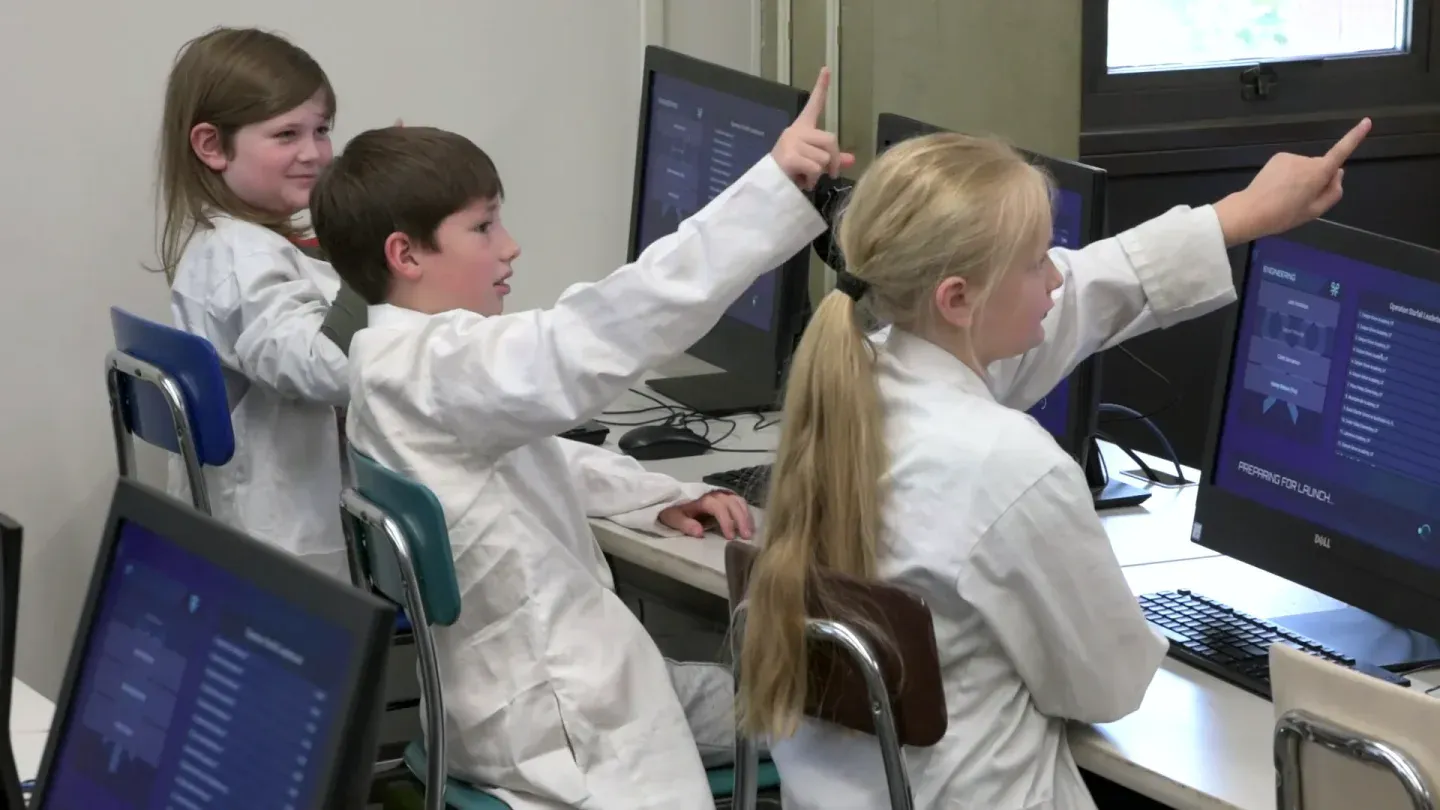
    Three students in white lab coats at computer monitors; two of them point up toward the front of the room, and one screen reads Preparing for launch.
    Students in lab coats at their monitors, two pointing toward the front of the room.

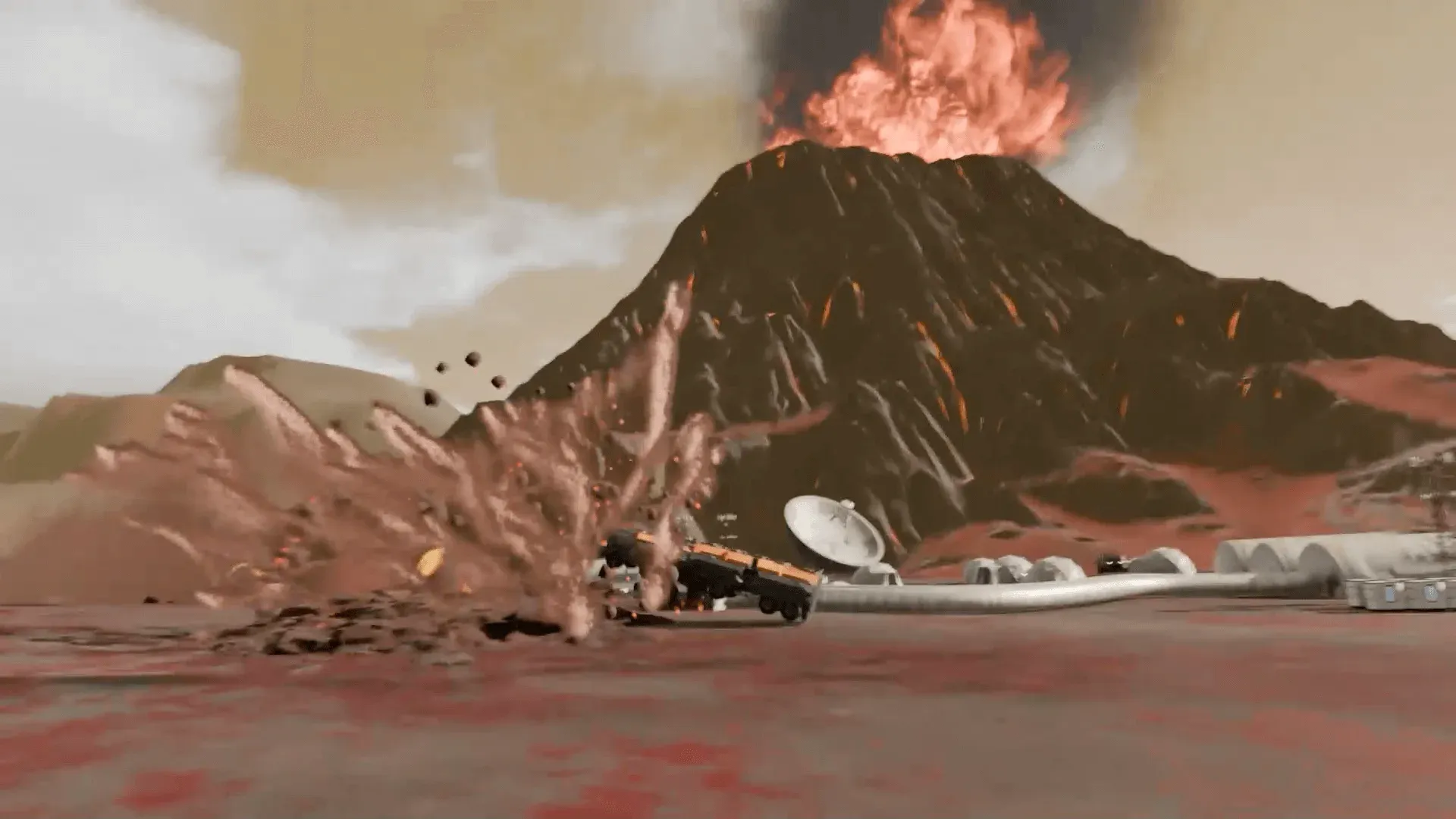
    Alaska’s annual ice sculpture festival is in danger: an unknown creature has crashed through the atmosphere right into the middle of it, and the ice sculptures begin to melt. The crew has to analyze climates from around the world and choose one better suited to this hot-blooded creature. The story plays on the projector. The work happens at six stations (Command, Engineering, Medical, Security, Science, I.T.) and in the arguments between them.

    Every student is assigned to a team, and each team’s work is themed to it, from its own information and challenge to the same problem the rest of the crew is solving. The team gives a student a role in the story and people to lean on while you move between teams. You’re at the helm, asking which climate the data says the creature could stand.

    The vocabulary is the unit’s: climate, desert, temperate, tropical, polar, region. It expects students who know common weather patterns and can read simple text data and put it into a graphic organizer. Its record lists NGSS 3-ESS2-1 and 3-ESS2-2, science standards, with Common Core reading, writing, and speaking and listening codes. Run the month of the weather graph first, and tell the class why: a hot-blooded creature is melting the festival, and they’ll be choosing its new climate from the data. The lesson prepares them. The Mission is what they’re preparing for.

    “The missions are so engaging and entertaining my students don’t realize I am giving them an assessment.”

    Savannah Watson, Teacher, Orchard Elementary, UT

    Will it work in my room?

    Students join with a class code: no student accounts, no student email, no passwords. Chromebooks, laptops, or tablets, plus your projector. Free for teachers, no credit card. Student data is covered by COPPA and FERPA, and we signed the Student Privacy Pledge. At about 41 minutes, Melting Point fits a 45-minute period with a few minutes left over.

    START FREE →

    Communication first, then Melting Point

    What the report shows

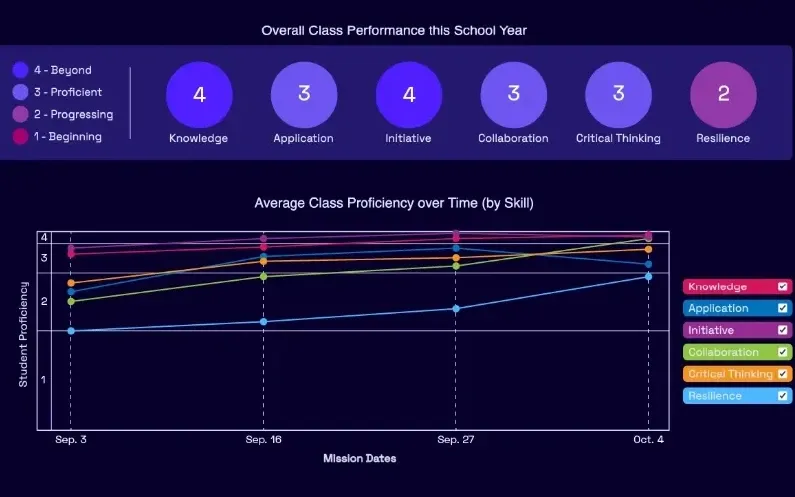
    A Mission.io class report: the class score in each of six skills, from knowledge and application to collaboration, critical thinking, and resilience, with the class chart across the year below.
    A class report from a real Mission: the class score in each of six skills, then each skill across the year.

    Every Mission produces a report for every student, built from what that student did across the whole Mission, on the skills the Mission captured. The six it can capture are Knowledge, Application, Initiative, Collaboration, Critical Thinking, and Resilience. The first two are what a test already sees. The other four are the human skills every school promises. The test shows what they know. The report shows the rest. SEE THE EVIDENCE →

    You taught it. Now find out who can use it.

    Who's behind it

    Mission.io is a research and design organization with one job: make collaborative, active learning something a teacher can run every unit instead of once a semester, and put a report in your hands when it’s over. Over a million students have run a Mission. The research behind them is funded by the National Science Foundation and the U.S. Department of Education’s Institute of Education Sciences, and Mission.io meets ESSA Level II standards, as validated by Instructure.

    Grades 3 to 5 CSTA standards this page teaches

    Two of CSTA’s 21 computer science standards for grades 3 to 5 are taught on this page, each by the activities the table names. The codes link to CSTA’s table of the 2017 standards.

    The two standards this page teaches

    Protecting personal information, and programs built from sequences, events, loops, and conditionals.

    The grades 3 to 5 (level 1B) CSTA standards this page teaches, in CSTA's words, with the activities for each.
    The standardOn this page
    1B-NI-05 Discuss real-world cybersecurity problems and how personal information can be protected.On this page: 1. Password Power-Up and 2. The digital footprint sort
    1B-AP-10 Create programs that include sequences, events, loops, and conditionals.On this page: 4. Graph paper programming and 5. ScratchJr

    The Missions for this grade

    We make no computer science Mission below 4th grade. The two that run at 3rd grade are Melting Point, a science Mission, and Dawn of the Scarecrow, a speaking, listening, and writing Mission. None lists a CSTA code.

    The two Missions that run at 3rd grade, with the codes on their records.
    NumberMissionTopic (code)Minutes
    7Melting PointAnalyze climates around the world and choose one better suited to a hot-blooded creature (NGSS 3-ESS2-1 and 3-ESS2-2; Common Core RI.3.1, RI.3.2, RI.3.7, W.3.2, W.3.4, W.3.6, W.3.8, SL.3.1, and SL.3.2)41
    8Dawn of the ScarecrowDive into the history of scarecrows, then design one for RALF (Common Core W.3.8, SL.3.1, and SL.3.2 at this grade)26
    START FREEMISSION BRIEF →

    Free teacher account, no card. Start with the Communication Mission, marked Start here in your library, then Melting Point, each after its 5-minute Teacher Preview.

    Also at this grade

    The 3rd grade STEM activities page lists the grade’s Missions in every subject; the 3rd grade science activities page has the weather graph, the activity to run before Melting Point; the 2nd grade technology activities page rebuilds binary bracelets, a good review; and the 4th grade technology activities page rebuilds conditionals with cards and is where Cyber Defense Force, the cybersecurity Mission, starts.

Questions 3rd grade technology teachers ask

Which 3rd grade computer science standards does this page teach?

Two of the CSTA standards for grades 3 to 5 (level 1B), each with its activities: 1B-NI-05, cybersecurity and protecting personal information, and 1B-AP-10, programs with sequences, events, loops, and conditionals. They’re CSTA’s 2017 codes. Password Power-Up’s ISTE cousin is 1.2.d, protecting your digital privacy.

What technology skills should a 3rd grader have?

Third graders on this page learn to protect personal information, starting with a password a classmate can’t guess, and to build programs from sequences, events, loops, and conditionals. Beyond CSTA, the ISTE Standards for Students list seven: Empowered Learner, Digital Citizen, Knowledge Constructor, Innovative Designer, Computational Thinker, Creative Communicator, and Global Collaborator. CS Unplugged has more computer science with no screen, and Common Sense Education covers the rest of digital citizenship. Both are free.

Is there a cybersecurity Mission for 3rd grade?

Not until 4th grade. Cyber Defense Force, our Mission on spotting phishing, starts there. What runs at 3rd is Melting Point, a science Mission, and Dawn of the Scarecrow, a speaking, listening, and writing Mission. Neither lists a CSTA code, so Password Power-Up carries the cybersecurity.

Should 3rd graders use their real passwords in Password Power-Up?

No. The sheet’s profile cards are for invented students, and every password the class builds is practice. Say so before round one. When students get real school accounts, the four rules carry over and the practice passwords stay in the classroom.

How do I grade a password lesson in 3rd grade?

Grade the reasons the team gives. The Checker’s marks show whether each rule was applied with a reason, and the memory box shows whether the final password is one a student can keep. That’s one grade. The four-behavior tally over two or three activities is the other. A team whose first password got guessed and whose fix closed the gap has the best story in the room.

Three guesses and a locked reading log

Day one, Password Power-Up by hand with the sheet. When the science unit turns to weather and climate, start the weather graph on the 3rd grade science page; after a month of the weather graph, Melting Point, once you've watched its 5-minute Teacher Preview. Both free.