6th grade technology activities

The Caesar cipher rebuilt so 6th graders test two kinds of encryption against an eavesdropper, five more activities by standard, a free sheet, and the CSTA standards each teaches.

Who we are. Mission.io makes Missions: teacher-led, whole-class simulations where students use what they’re learning to work through a real scenario together.

Everything on this page works without us. The standards each one teaches are at the end, and so is Cyber Defense Force, our Mission on phishing. (The crew gets a crash course in phishing tactics, then the incoming messages start, and spotting the scams decides whether the planet’s defense system holds.)

On this page

What 6th grade technology looks like

Sixth grade technology activities are computer science problems with an opponent: a message somebody is trying to crack before it arrives, and a method the team has to defend once it falls or holds. This page teaches six of the CSTA computer science standards for grades 6 to 8 (level 2), with security among them.

A search for technology activities often means the lab period: keyboarding, careful searching, digital citizenship. This page is the computer science, plus how information stays secure. For the lab work, Common Sense Education’s digital citizenship lessons are free, CS Unplugged has more computer science with no screen, and the ISTE Standards for Students name seven skills, Digital Citizen and Computational Thinker among them.

Sixth grade opens the middle school band, and the networks strand gets serious. Over grades 6 to 8, students model the protocols that move data (2-NI-04), explain how physical and digital security protect information (2-NI-05), apply more than one method of encryption (2-NI-06), represent data with different encoding schemes (2-DA-07), plan algorithms with flowcharts and pseudocode (2-AP-10), and build programs with nested loops and compound conditionals (2-AP-12). The band’s other standards cover devices and troubleshooting, collecting and modeling data, variables and procedures, and the tradeoffs computing brings to people’s lives. The codes are CSTA’s 2017 standards, the ones Code.org’s lessons cite. CSTA released new PK-12 standards in 2026.

Picture the usual version: a cipher wheel, a worksheet of shifted words, and thirty students decoding alone. Every answer comes out right, and nobody learns why a cipher fails. Encryption gets interesting the moment somebody else is trying to read your message.

Six things that turn a secret code into security

The CSTA standards are built on seven core practices, and they don’t treat computer science as a solo sport: collaborating around computing and fostering an inclusive computing culture sit on the list next to testing and refining what you build (CSTA, 2017). A cipher two teams fought over teaches more than one cracked alone, as long as every student on both teams has a job they answer for.

  1. 1. A real problem with stakes the class can feel.

    “Decode the secret message” is a puzzle. “Get the meeting location across before the interceptor cracks it” is a problem.

  2. 2. Apply, don't recall.

    A second method that only makes sense after the first one falls. A cipher nobody attacks hasn’t been tested.

  3. 3. Group goals with individual accountability.

    The one most cipher lessons miss: a worksheet each, decoded alone. When the group shared a goal and each student answered for a part, 84% of studies found a positive effect; without both, 17% (Slavin, 1991).

  4. 4. The teacher leads the thinking.

    Three questions at the table (how many keys could the interceptor try, what did they try first, what changed with the keyword) beat a stack of practice ciphers.

  5. 5. A debrief where the class argues it out.

    Cracking the shift takes minutes. Explaining why the keyword held, in key-space words, is the part 2-NI-06 is after.

  6. 6. A way to see who did what.

    The interceptor’s log shows who tried which shift and when the message fell. Without a trail like that, a cipher lesson can only grade the final answer.

A letter shift has 25 keys. An interceptor can try them all.

The sheet after the next section has the cipher grid, the key cards, the interceptor log, and the tally. Get the sheet →

The Caesar cipher, rebuilt for 6th grade (2-NI-06)

Each letter moves a fixed number of places down the alphabet, usually on a paper cipher wheel, and the class encodes and decodes messages. Code.org’s Hour of Code runs it as Simple Encryption, and micro:bit’s Caesar cipher lesson runs it on paper first. The way it usually runs is a worksheet each and a secret message that’s fun to crack, with nothing lost if it is. Here’s the version with all six, and with a second method, since the standard asks for more than one.

Time
50 minutes. The 45-minute cut: a five-letter location in round one, a seven-letter one in round two, and a two-minute cap on each decode.
Groups
Fours, paired team against team. With 30 students, seven groups of four and one of two, where the Encoder also keeps the key.
Supplies
The cipher grid prints on the sheet, with the key cards and the location list. About $2.
Standards
2-NI-06 (apply more than one method of encryption), with 2-NI-05 (how physical and digital security protect information) in the debrief. The Caesar shift alone doesn’t meet 2-NI-06; round two’s keyword cipher makes it two methods.
  1. Teach first, 10 minutesApply

    Write HELLO on the board and shift every letter by 3. Ask how a stranger could crack it without the key, and let the class find the answer: there are only 25 shifts to try. Name the two ideas: a cipher is a rule plus a key, and a cipher with a small key space falls to anyone who tries every key. Then preview round two: a keyword cipher, where a word scrambles the alphabet and the key space is enormous.

  2. The problemStakes

    Two field teams have to get a meeting location across a room where an interceptor is listening, and it has to arrive correct and uncracked. If the interceptor cracks it before the receiving team decodes it, the meeting is compromised and the sending team loses the round. The clock is the stake: the interceptor gets exactly as long as the receiver.

  3. Four roles, one job eachAccountability

    On the sheet, and everyone signs their role’s box. Teams are paired: each team’s Decoder and Interceptor work on the other team’s message.

    • Encoder

      Applies the cipher letter by letter. The only pencil on the outgoing message.

    • Key Keeper

      Chooses the key and writes it on a card only the partner team's Decoder sees. Never says it out loud.

    • Decoder

      Gets the partner team's message and key card, decodes it, and writes down the location.

    • Interceptor

      Gets the partner team's ciphertext with no key, tries to crack it in the same time, and logs every shift tried.

  4. You lead the thinkingTeacher leads

    Three questions, asked at the table: What is your key, and how many keys could the interceptor try? What did the interceptor try first, and why? What changed when you switched methods? Ask, then move to the next table before anyone asks you for the shift.

  5. Two rounds, two methodsApply

    Round one: a Caesar shift, which usually gets cracked. Round two: a keyword substitution with a new key, which usually holds past the clock. Rotate the Encoder and the Interceptor between rounds, so the student who cracked a message now has to protect one.

  6. The debrief, 10 minutesDebrief

    The interceptors’ logs on the board. How many shifts did round one take to crack, and what gave it away (a short word, a double letter)? Why did the keyword cipher hold, in key-space words? What does a real website do that neither cipher does (the lock icon, the password, the locked server room)? Who in your group cracked a message, and what was the first clue? The website question is 2-NI-05.

  7. See who did whatSee who did what

    The observation sheet, four behaviors per student: encoded or decoded correctly, explained a crack with a reason, compared two methods with a reason, changed their mind with a reason. A tally catches about half the room; the interceptor logs are signed evidence for the rest.

(If the Interceptors ask for a hint, hold out. A short word in the ciphertext can give the shift away, and they should be the ones who notice.)

Keep the interceptor logs on the wall. They make the case for long passwords better than a poster can.

The Caesar cipher and keyword round, free

Emailed now, ready to copy: the teacher page, four role cards, how the two ciphers work, the cipher grid, the key cards, the message slips, the interceptor log, the location list with what to listen for, and the four-behavior tally.

It’s on its way.

Check your inbox for the Caesar cipher and keyword round.

Email me the sheet. It comes as a PDF, ready to print. Unsubscribe anytime.

Five more 6th grade technology activities, by standard

Five more from the 6th grade lists, from networks to programs: what each one is, how it usually runs, and the part it’s missing.

Networks, data, programming

2. The packet relay (2-NI-04)

Needs a message cut into numbered pieces and room to carry them. Teams.

A message crosses the room in numbered pieces, carried by students playing routers, and gets rebuilt at the other end. It’s a real model of how data moves across a network in packets. As usually run, though, it’s a relay where every packet arrives, so nobody has to notice anything.

The fix

  1. Assign one Router, in secret, to drop one packet on purpose.
  2. Make the receiving end check the numbers, spot the missing packet, and ask for it again.
  3. Ask each Receiver how they knew a packet was missing, and note who caught it.

The fix is one Router’s job; it needs no page.

3. Binary numbers with five cards (2-DA-07)

Needs five cards with 1, 2, 4, 8, and 16 dots. Pairs.

Five cards show 1, 2, 4, 8, and 16 dots, and flipping some face up makes any number from 0 to 31. Students put place value to work, and the pattern clicks fast. As usually run, though, you flip the cards at the front while the class watches, so nobody answers for a number.

The fix

  1. Give each pair a set of cards, with a Caller who names a number and a Flipper who makes it.
  2. The Caller checks each flip by adding the dots aloud, and then the partners swap.

Two roles fix it, so there’s no page.

4. Flowchart a morning routine (2-AP-10)

Needs paper and a pencil. Individual, usually.

Students draw their morning routine as a flowchart, with every decision as a diamond: is it raining, is my lunch packed. It puts decisions and branches to work. As usually run, though, it’s a worksheet each about a morning only its writer knows, so the chart never has to work for anyone else.

The fix

  1. Pair students, and have each partner trace the other’s chart with a finger, following only the arrows and diamonds.
  2. Every time a trace gets stuck, the writer fixes that diamond or arrow.
  3. Collect both charts with the tracer’s initials beside every fix.

No page for this one. Those three misses are the work.

5. The human sorting network (2-AP-10)

Needs chalk or tape on the floor and six number cards. Groups of six.

Six students holding numbers walk a network drawn on the floor, compare at each node (smaller goes left, larger goes right), and come out the other end sorted. It’s a real algorithm you can walk. As usually run, though, it’s a playground race where six walk and everyone else waits, and nobody tests whether it sorts every order.

The fix

  1. Add a Dispatcher who picks the starting order and a Verifier who records whether it came out sorted.
  2. Test several starting orders, including reverse order and one the group thinks looks hard.
  3. Rotate after every run, so every student walks and every student verifies.

See the sorting network on the 7th grade page →

6. A Scratch game or micro:bit project (2-AP-12)

Needs a device per pair, and a free Scratch account or a micro:bit. Pairs.

Students build a game in Scratch or a small project on a micro:bit, like a name that scrolls across the lights. The programming is real, with loops, events, and conditionals working together. As usually run, though, the work ends when the bell rings, nobody talks about what broke, and you can’t tell who wrote which part.

The fix

  1. Pair students, and have each pair plan the project on paper first: what it does, what it waits for, and who builds which part.
  2. Keep the plan beside the screen, and mark each part off with the initials of the partner who built it.
  3. Save the last ten minutes for two pairs to show the bug that took longest to find.

No page for this one; the paper plan is the fix.

  • Our part · We make Missions

    Then the unit has somewhere to go

    Plenty of teachers rebuild these by hand every unit, and it works. A Mission is a teacher-led, whole-class simulation built from a unit you teach. No Mission teaches programming at this grade. When the unit turns to online security, run the cipher rounds, then Cyber Defense Force.

    You're at the helm, not on the hook.

    Cyber Defense Force: an inbox under attack, as a Mission

    Cyber Defense Force · Grades 4 to 12 · About 37 minutes · One device per student, plus your projector · Free with a teacher account

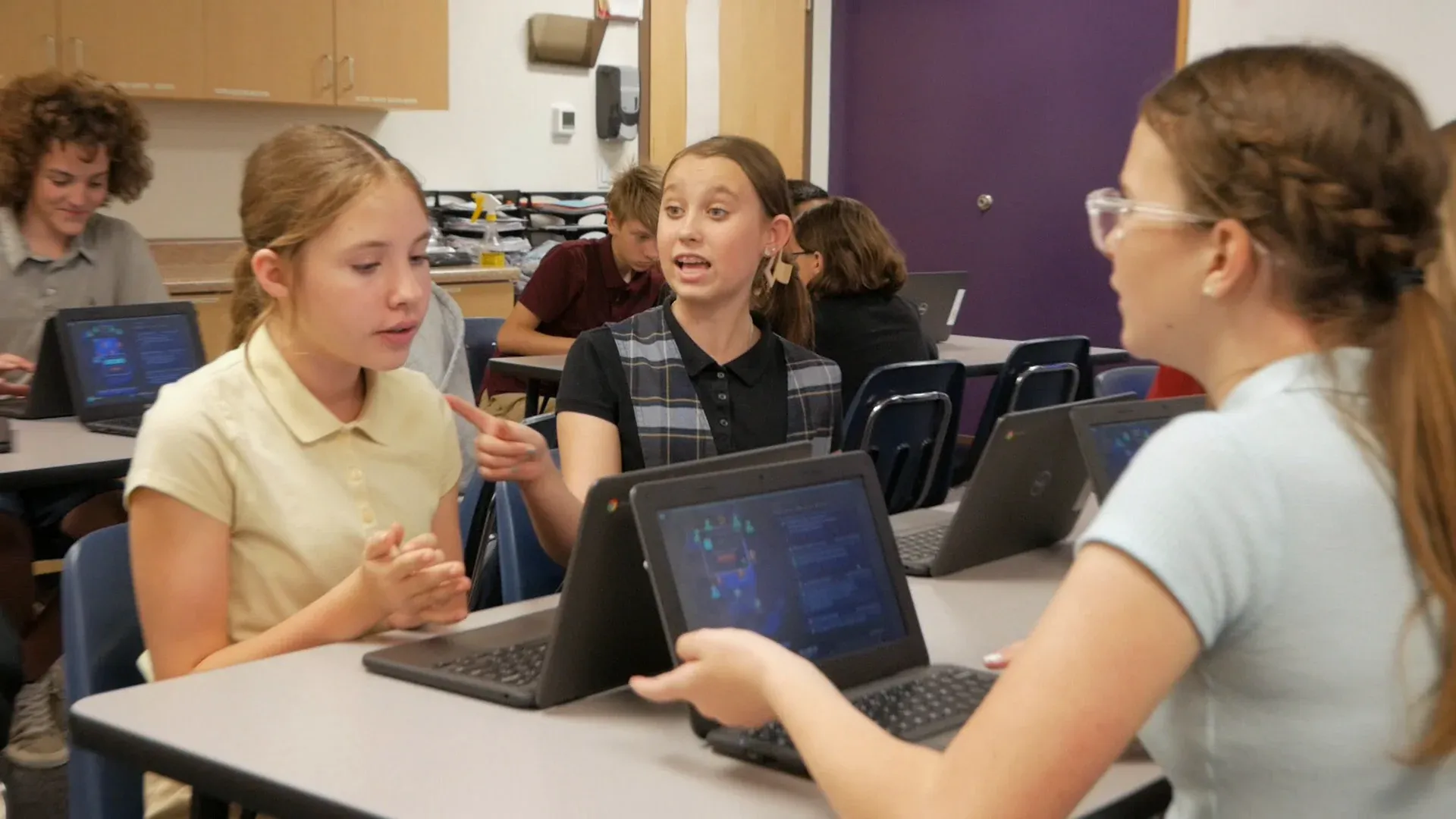
    Three middle school students at Chromebooks talk across their table; one gestures while the other two listen.
    Three students talking it through across their table.

    The planet’s firewall is getting a critical update, and while it installs, the defense system is open to hackers. The crew gets a crash course in phishing first: fraudulent emails, suspicious links, fake websites. Then the messages start arriving, and each one has to be judged safe or a threat with the S.T.O.P. method, because the crew’s calls decide whether the system holds. The story plays on the projector. The work happens at seven stations (Command, Engineering, Medical, Security, Science, I.T., Operations) and in the arguments between them.

    Every student is assigned to a team, and each team’s work is themed to it, from its own information and challenge to the same problem the rest of the crew is solving. The team gives a student a role in the story and people to lean on while you move between teams. You’re at the helm, asking what in that link gave it away.

    The vocabulary is the unit’s: phishing, hacker, firewall, personal information, scam. Run the cipher rounds first, and tell the class why: in the cipher rounds they protected a message, and in the Mission they have to catch the ones pretending to be from someone else. The lesson prepares them. The Mission is what they’re preparing for.

    “This is the only thing I’ve used in 24 years of teaching that I love just as much as my students do.”

    Evelyn Fowles, 6th grade teacher

    Will it work in my room?

    Students join with a class code: no student accounts, no student email, no passwords. Chromebooks, laptops, or tablets, plus your projector. Free for teachers, no credit card. Student data is covered by COPPA and FERPA, and we signed the Student Privacy Pledge. At about 37 minutes, Cyber Defense Force fits a 45-minute period with time left for the debrief.

    START FREE →

    Communication first, then Cyber Defense Force

    What the report shows

    A Mission.io class report: the class score in each of six skills, from knowledge and application to collaboration, critical thinking, and resilience, with the class chart across the year below.
    A class report from a real Mission: the class score in each of six skills, then each skill across the year.

    Every Mission produces a report for every student, built from what that student did across the whole Mission, on the skills the Mission captured. The six it can capture are Knowledge, Application, Initiative, Collaboration, Critical Thinking, and Resilience. The first two are what a test already sees. The other four are the human skills every school promises. The test shows what they know. The report shows the rest. SEE THE EVIDENCE →

    You taught it. Now find out who can use it.

    Who's behind it

    Mission.io is a research and design organization with one job: make collaborative, active learning something a teacher can run every unit instead of once a semester, and put a report in your hands when it’s over. Over a million students have run a Mission. The research behind them is funded by the National Science Foundation and the U.S. Department of Education’s Institute of Education Sciences, and Mission.io meets ESSA Level II standards, as validated by Instructure.

    Grades 6 to 8 CSTA standards this page teaches

    The activities here teach six of the 23 CSTA computer science standards for grades 6 to 8. Every code links to CSTA’s table of the 2017 standards.

    The six standards this page teaches

    Protocols, security, encryption, encoding, flowcharts, and programs.

    The grades 6 to 8 CSTA standards this page teaches at 6th grade, with the activity for each.
    The standardOn this page
    2-NI-04 Model the role of protocols in transmitting data across networks and the Internet.On this page: 2. The packet relay
    2-NI-05 Explain how physical and digital security measures protect electronic information.On this page: 1. The Caesar cipher’s debrief
    2-NI-06 Apply multiple methods of encryption to model the secure transmission of information.On this page: 1. The Caesar cipher, both rounds
    2-DA-07 Represent data using multiple encoding schemes.On this page: 3. Binary numbers with five cards
    2-AP-10 Use flowcharts and/or pseudocode to address complex problems as algorithms.On this page: 4. The flowchart
    2-AP-12 Design and iteratively develop programs that combine control structures, including nested loops and compound conditionals.On this page: 6. Scratch or micro:bit

    The Missions for this grade

    Cyber Defense Force is on phishing, and Storm Front is a science Mission on weather fronts. None lists a CSTA code.

    The two Missions that run at 6th grade, with the codes each one lists.
    NumberMissionTopic (code)Minutes
    7Cyber Defense ForceSpot fraudulent emails, suspicious links, and fake websites before hackers get in37
    8Storm FrontRead warm and cold front data to find which research station is in an incoming storm’s path (NGSS MS-ESS2-5)16
    START FREEMISSION BRIEF →

    Free teacher account, no card. Start with the Communication Mission, marked Start here in your library, then Cyber Defense Force, each after its 5-minute Teacher Preview.

    Also at this grade

    The 6th grade STEM activities page rebuilds the straw rocket and lists every 6th grade Mission by subject; the 6th grade science activities page maps Storm Front with the grade’s other science Missions; the 6th grade engineering activities and 6th grade math activities pages map those subjects’ standards; and the 7th grade technology activities page rebuilds the human sorting network.

Questions 6th grade technology teachers ask

Which 6th grade computer science standards does this page teach?

Six from CSTA’s grades 6 to 8 set (level 2), each with its activity: 2-NI-04 protocols, 2-NI-05 security measures, 2-NI-06 encryption, 2-DA-07 encoding, 2-AP-10 flowcharts, and 2-AP-12 control structures. They’re the 2017 codes, the ones Code.org’s lessons cite.

What technology skills should a 6th grader have?

Sixth graders here encrypt a message two different ways, explain what keeps information secure, model how protocols move data, write numbers in binary, flowchart an algorithm, and build a program with nested loops. That’s six of CSTA’s computer science standards. The ISTE Standards for Students describe seven broader skills: Empowered Learner, Digital Citizen, Knowledge Constructor, Innovative Designer, Computational Thinker, Creative Communicator, and Global Collaborator. For digital citizenship, Common Sense Education is free, and CS Unplugged keeps the computer science going without a screen.

Is there a 6th grade Mission for coding?

No. The computer science Mission at 6th grade is Cyber Defense Force, on spotting phishing, and it runs from 4th grade through 12th. Storm Front is a science Mission on weather fronts. The cipher, the flowchart, and Scratch carry the CSTA standards on this page.

How do I grade 6th graders on a cipher they cracked as a team?

Grade the reasoning, not who cracked fastest. The interceptor log and the debrief answer are one grade: can the student say why the shift fell and the keyword held? The four-behavior tally over two or three activities is the other. An Interceptor who failed to crack round two and can explain why is doing the standard.

Which standards do the 6th grade Missions list?

Cyber Defense Force’s record lists Florida’s Next Generation Sunshine State Standards, one state set. Storm Front lists NGSS MS-ESS2-5, a science standard, and four state science sets. Neither lists a CSTA or ISTE code.