7th grade technology activities

A human sorting network rebuilt so 7th graders test it on the orders that could break it, five more activities, a free sheet, and the CSTA standards each teaches.

Who we are. Mission.io makes Missions: teacher-led, whole-class simulations where students use what they’re learning to work through a real scenario together.

Everything on this page works without us. The standards each one teaches are at the end, next to the two Missions that run at this grade, Cyber Defense Force and Encrypted Escape. (In the second, the crew cracks an encrypted code to save Dr. Zyla’s research from the Crooked Snakes.)

On this page

What 7th grade technology looks like

Seventh grade technology activities are computer science problems where an algorithm has to handle every input the class can throw at it, and every student owns a piece of proving it does. This page teaches six of the CSTA computer science standards for grades 6 to 8 (level 2), plus online safety.

Plenty of 7th grade technology time is still the computer lab: keyboarding, research, digital citizenship. This page is the computer science half, plus online safety and what a profile tells the world. For the rest, Common Sense Education’s digital citizenship lessons and CS Unplugged are free, and the ISTE Standards for Students (Knowledge Constructor, Digital Citizen, and five more) name the skills.

Seventh grade sits in the middle of level 2, the band CSTA wrote for grades 6 to 8. In it, students write algorithms as flowcharts or pseudocode (2-AP-10), break problems into parts (2-AP-13), test programs against a range of cases (2-AP-17), represent data more than one way (2-DA-07), and weigh what to make public against what to keep private (2-IC-23). The rest of the band covers networks and encryption, devices, collecting data, and how computing affects people’s lives and careers. These are CSTA’s 2017 codes, the set Code.org’s lessons cite; CSTA published a revised PK-12 set in 2026.

Picture the usual version: six kids walk the chalk lines, the rest of the class watches from the edge, and the numbers come out sorted once. Nobody asks whether they’d come out sorted from a different start. An algorithm has to survive the hard orders too, and the only way to know is to try them.

Six checks before an unplugged activity counts as CS

CSTA’s standards treat the people in the room as part of the computing. Of the seven core practices, one is collaborating around computing and another is fostering an inclusive computing culture, alongside testing and refining what you build (CSTA, 2017). Six students walking a network while a seventh checks it are already computing as a team. The work is making each of them own a piece of the answer.

  1. 1. A real problem with stakes the class can feel.

    “Sort the numbers” lets nobody down. A conveyor that sends one package to the wrong truck does.

  2. 2. Apply, don't recall.

    Round two is a network the team designs itself, and nobody can design one without the node rule from round one.

  3. 3. Group goals with individual accountability.

    The one a sorting race misses: six walk, everyone else waits a turn. When the group shared a goal and each student answered for a part, 84% of studies found a positive effect; without both, 17% (Slavin, 1991).

  4. 4. The teacher leads the thinking.

    Three questions at the chalk (what’s the rule at this node, which orders haven’t you tried, where would a seventh package need a gate) do more than a page of sorting vocabulary.

  5. 5. A debrief where the class argues it out.

    The runs are the setup. The argument afterward, about why reverse order is the test that counts, is the standard itself: test with a range of cases (2-AP-17).

  6. 6. A way to see who did what.

    The Verifier’s log names the node and the Walker. Without something like it, you’ll know the network sorted and not who figured out why.

One sorted run doesn’t prove the network. Try reverse order.

The sheet in the next section has the network diagram with its chalk measurements, a blank four-input grid, and the tally. Get the sheet →

The sorting network, rebuilt for 7th grade (2-AP-10)

Six students holding numbers walk a network chalked on the playground (or taped on the floor), compare at every node, smaller to the left, and come out the far end in order. It’s CS Unplugged’s Sorting Networks, one of its original activities, and the Vienna Center for Logic and Algorithms used it to set a world record for the largest sorting network with pupils. The network is a flowchart you walk, which is why it teaches 2-AP-10. The way it usually runs: six walk, the rest watch, and one set of numbers gets sorted with nothing riding on it. This version hits all six.

Time
50 minutes, outdoors. The 45-minute cut: three test orders in round one, and the four-input design tested on four orders.
Groups
Sevens: six Walkers and a Verifier. With 29 students, three groups of seven and one of eight, which gets two Verifiers. The sheet has a four-input version for smaller groups.
Supplies
Sidewalk chalk or masking tape, two sets of number cards (1 to 6) per group, and the test-order list and four-input grid on the sheet. About $4.
Standards
2-AP-10 (algorithms as flowcharts), with 2-AP-13 (decompose problems into parts) when teams design a smaller network, and 2-AP-17 (test with a range of cases) all the way through.
  1. Teach first, 10 minutesApply

    Draw one two-input node on the board and state the rule: two people arrive, compare, and the smaller number goes left while the larger goes right. Walk two volunteers through it. Then show the whole six-input network and ask the class whether it sorts any six numbers, or only some. Don’t answer.

  2. The problemStakes

    A shipping company needs a conveyor that sorts six packages by weight with no computer, only comparison gates, and it will buy only a design that sorts every possible order. A conveyor that sorts most orders still sends the wrong package to the wrong truck. The team’s job: show the six-input network works on every order it’s tested with, then design a four-input network of its own and test it the same way.

  3. Six Walkers and a VerifierAccountability

    Each student signs a role box on the sheet. Rotate after every run, so every student walks and every student verifies. In round two, four walk and the rest share the Verifier’s job.

    • Walkers (six)

      Each holds a number, walks the network, compares at every node, and may say only "smaller" or "larger." Four walk in round two.

    • Verifier

      Picks the input order from the test list, hands out the numbers, starts the run, records the output order, marks it sorted or not, and logs the node where a Walker went the wrong way.

  4. You lead the thinkingTeacher leads

    Three questions, at the network: What’s the rule at this node, in one sentence? Which input orders have you tested, and which haven’t you? If I add a package, where does the network need a new gate? Then stay off the chalk. A Walker who goes the wrong way is a test result, and it belongs in the log.

  5. Two rounds, so the rule has to travelApply

    Round one: run the six-input network on five input orders, including sorted, reverse-sorted, and one the team picks because it looks hard. Round two: design a four-input network on paper (2-AP-13), chalk it, and test it on every order the sheet lists. Round two only works if the team understood why round one sorted.

  6. The debrief, 10 minutesDebrief

    Did the six-input network ever fail, and was it the network or a Walker who broke the rule? Why does testing reverse order matter more than testing sorted order? How many comparisons did your four-input design use, and could it use fewer? Who in your group found an order that broke a design?

  7. See who did whatSee who did what

    The observation sheet, four behaviors per student: applied the node rule correctly, chose a test case with a reason, found a failure and named the node, revised a design with a reason. A tally catches about half the room. The Verifier’s log catches more, because it names the node where a Walker went wrong.

(If an unsorted run gets blamed on the chalk, ask the Verifier for the node before anyone redraws a line.)

Photograph the four-input designs before the next recess walks over them, and bring the photos back when the class writes flowcharts.

The human sorting network, free

Emailed now, ready to copy: the teacher page, role cards for the Walkers and the Verifier, the six-input network with its chalk measurements, the test-order lists with a sorted-or-not column, the blank four-input grid with its comparison count, an answer key, and the four-behavior tally.

It’s on its way.

Check your inbox for the human sorting network.

Email me the sheet. It comes as a PDF, ready to print. Unsubscribe anytime.

Five more 7th grade technology activities, by standard

Five more that turn up in 7th grade, each with how it usually runs and what it’s missing, in the order CSTA lists the standards.

Networks, data, programming, impacts

2. The Caesar cipher (2-NI-06)

Needs a paper alphabet strip or cipher wheel. Pairs or small groups.

Students shift every letter of a message a fixed number of places (with a shift of 3, A becomes D) and trade secret messages with a partner. In 7th grade it usually runs as a code-breaking puzzle, and students get into it fast. As usually run, though, there’s one method and nobody attacking it, so nobody learns why a cipher fails.

The fix

  1. Give each message an Interceptor from another team, who tries to crack it in the same time the Decoder gets.
  2. Run a second round with a keyword cipher, the second method the standard asks for, and compare which one held.
See the Caesar cipher on the 6th grade page →

3. Binary numbers with cards (2-DA-07)

Needs five cards with 1, 2, 4, 8, and 16 dots. The whole class, usually.

Five cards with 1, 2, 4, 8, and 16 dots get flipped face up or face down to make any number from 0 to 31. The thinking is real, and the pattern behind binary shows up fast. As usually run, though, it’s a demo at the front, and nobody has to make a number on their own.

The fix

  1. Give each pair a set of cards, a Caller and a Flipper, and have them swap often.
  2. The Caller checks each flip by adding the dots aloud, and you tick who makes a number right on the first try.

No page for this one; close those two misses before you count it as a lesson.

4. Flowchart a game's rules (2-AP-10)

Needs paper and a pencil. Individual, usually.

Students draw rock-paper-scissors as a flowchart, with every decision as a diamond: did both players pick the same thing, does rock meet scissors. The thinking is real, and everyone knows the game. As usually run, though, it’s a worksheet each, and no chart ever gets tested by someone who didn’t draw it.

The fix

  1. Pair students, and have each partner trace the other’s chart with a finger, playing out every pair of picks.
  2. Mark any pair of picks the chart can’t handle, and hand it back to its writer to fix.
  3. Collect both charts with the tracer’s marks on them.

No page for this one; the sorting network above is a flowchart the class walks.

5. A Scratch or Python mini-project (2-AP-12)

Needs a device per student, a free [Scratch](https://scratch.mit.edu/) account or a Python editor.

Students write a small program on screen, in Scratch blocks or in Python, like a quiz that keeps score or a guess-the-number game. The programming is real. As usually run, though, each student works alone until the bell, nobody talks about the code, and you can’t see who wrote what.

The fix

  1. Have each student explain one part of their program to a neighbor, and note who can.
  2. Save the last ten minutes for a debrief, where two students show the bug that took longest to fix and how they found it.

No page for this one; a debrief and a way to see who wrote what are the two things to add.

6. A digital footprint audit (2-IC-23)

Needs a fictional student's profile to search. Individual, usually.

Students search a made-up student’s profile and rate what’s public, from a full name and a school to a photo with a house number in it. The thinking is real, and you lead it. As usually run, though, it’s a worksheet each, and a finished rating can’t show who spotted the risky detail.

The fix

  1. Run it before Cyber Defense Force, which asks students to know what personal information is before they start.
  2. Pair students to audit one profile together, with each partner rating every item before they agree.
  3. Keep a tally of who spotted each risky detail.

No page for this one; pairs and a tally would cover both misses.

  • Our part · We make Missions

    Somewhere for the unit to land

    Plenty of teachers rebuild these by hand every unit, and it works. A Mission is a teacher-led, whole-class simulation built from a unit you teach. No Mission at this grade teaches algorithms or programming. When the unit turns to phishing and personal information, run the footprint audit, then Cyber Defense Force.

    You're at the helm, not on the hook.

    Cyber Defense Force: phishing, as a Mission

    Cyber Defense Force · Grades 4 to 12 · About 37 minutes · One device per student, plus your projector · Free with a teacher account

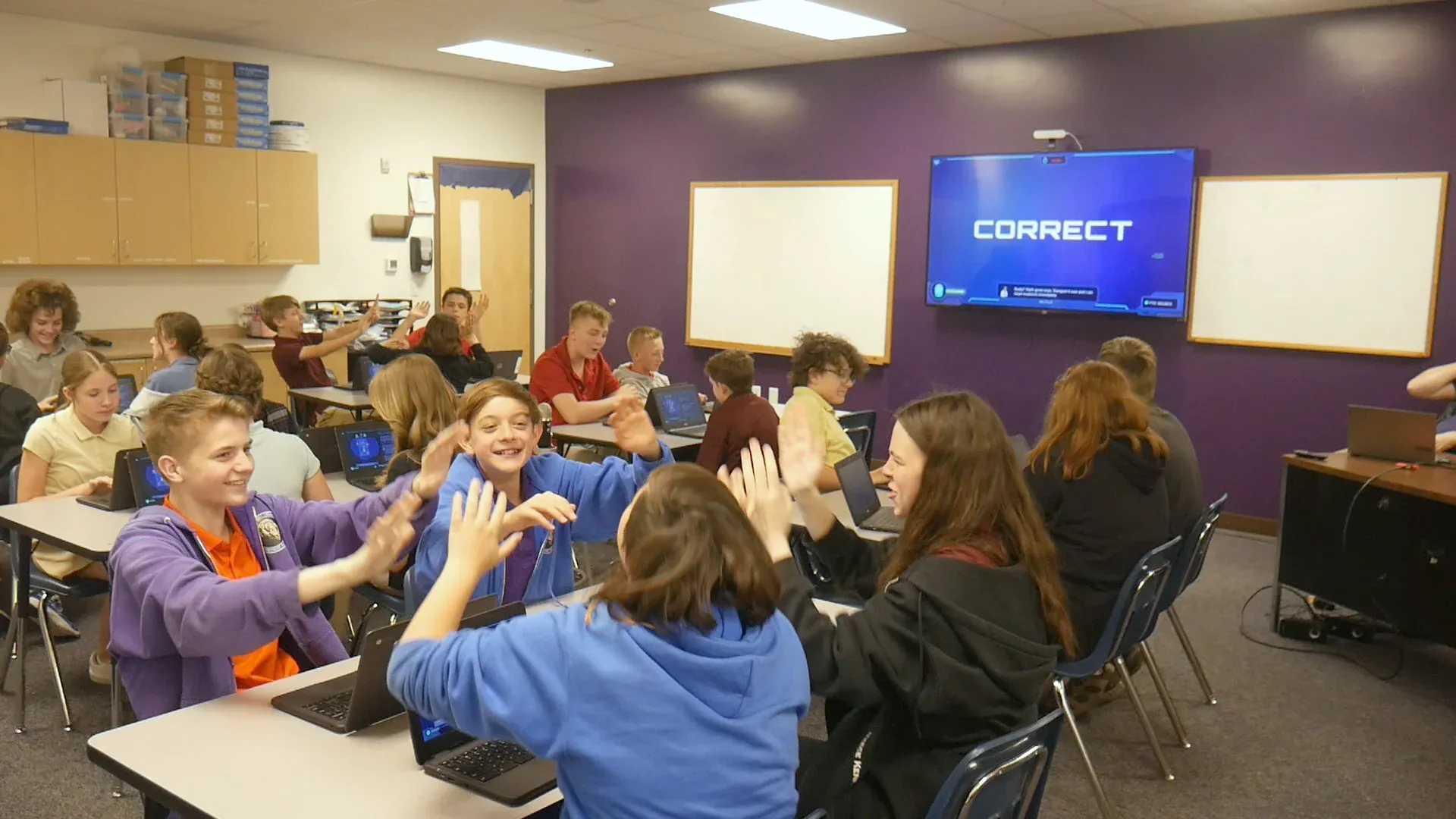
    Middle school students high-five across desks of open Chromebooks while the screen at the front of the room reads CORRECT.
    A middle school class high-fiving at their Chromebooks, with CORRECT on the front screen.

    A planetary firewall update leaves the defense system exposed to hackers for a stretch. First the crew gets a crash course in phishing: fraudulent emails, suspicious links, fake websites. Then the messages arrive, and the crew sorts the safe ones from the threats with the S.T.O.P. method. The story runs on your projector, and the work runs at seven stations (Command, Engineering, Medical, Security, Science, I.T., Operations) and in the arguments between them.

    Every student is assigned to a team and works on their own screen, and each team’s work is themed to it. Our technology connects every student, runs the work at each station, and moves the story along. You get the part worth having: moving between teams and asking what gave that message away.

    The vocabulary is the unit’s: phishing, hacker, firewall, personal information, scam. Run the footprint audit first and tell the class why: the planet is about to ask them to protect the same kind of information they just found on a profile. The lesson prepares them. The Mission is what they’re preparing for.

    “It’s been a while since students left my period saying that was the best class ever.”

    Will Crowther, Middle school teacher, Canyon View Middle School, UT

    Will it work in my room?

    Students join with a class code: no student accounts, no student email, no passwords. Chromebooks, laptops, or tablets, plus your projector. Free for teachers, no credit card. Student data is covered by COPPA and FERPA, and we signed the Student Privacy Pledge. Cyber Defense Force runs about 37 minutes and Encrypted Escape about 30, so either leaves room in a 45-minute period for the debrief.

    START FREE →

    Communication first, then Cyber Defense Force

    What the report shows

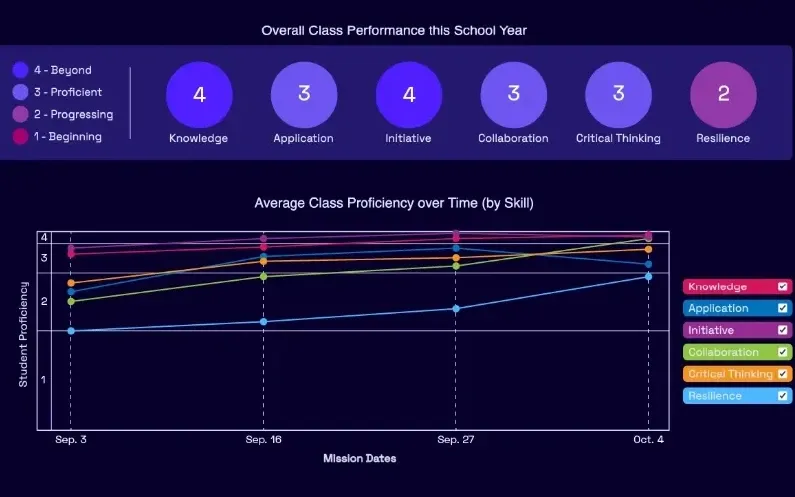
    A Mission.io class report: the class score in each of six skills, from knowledge and application to collaboration, critical thinking, and resilience, with the class chart across the year below.
    A class report from a real Mission: the class score in each of six skills, then each skill across the year.

    Every Mission produces a report for every student, built from what that student did across the whole Mission, on the skills the Mission captured. The six it can capture are Knowledge, Application, Initiative, Collaboration, Critical Thinking, and Resilience. The first two are what a test already sees. The other four are the human skills every school promises. The test shows what they know. The report shows the rest. SEE THE EVIDENCE →

    You taught it. Now find out who can use it.

    Who's behind it

    Mission.io is a research and design organization with one job: make collaborative, active learning something a teacher can run every unit instead of once a semester, and put a report in your hands when it’s over. Over a million students have run a Mission. The research behind them is funded by the National Science Foundation and the U.S. Department of Education’s Institute of Education Sciences, and Mission.io meets ESSA Level II standards, as validated by Instructure.

    Grades 6 to 8 CSTA standards this page teaches

    An activity on this page teaches each of the six CSTA standards below, out of 23 for grades 6 to 8. Each code links to CSTA’s table of the 2017 standards.

    The six standards this page teaches

    Encoding, flowcharts, control structures, decomposition, testing, and privacy tradeoffs.

    The grades 6 to 8 CSTA standards this page teaches, with the activity for each.
    The standardOn this page
    2-DA-07 Represent data using multiple encoding schemes.On this page: 3. Binary numbers with cards
    2-AP-10 Use flowcharts and/or pseudocode to address complex problems as algorithms.On this page: 1. The sorting network and 4. Flowchart a game’s rules
    2-AP-12 Design and iteratively develop programs that combine control structures, including nested loops and compound conditionals.On this page: 5. A Scratch or Python mini-project
    2-AP-13 Decompose problems and subproblems into parts to facilitate the design, implementation, and review of programs.On this page: 1. The sorting network, round two
    2-AP-17 Systematically test and refine programs using a range of test cases.On this page: 1. The sorting network’s test orders
    2-IC-23 Describe tradeoffs between allowing information to be public and keeping information private and secure.On this page: 6. A digital footprint audit

    The Missions for this grade

    Cyber Defense Force is on phishing, and Encrypted Escape is a solar system Mission. None lists a CSTA code.

    The Missions that run at 7th grade, with the codes each record lists.
    NumberMissionTopic (code)Minutes
    7Cyber Defense ForceJudge incoming messages safe or threat while a planetary firewall update runs37
    8Encrypted EscapeFigure out an encrypted code to save Dr. Zyla’s research from the Crooked Snakes (NGSS MS-ESS1-3)30
    START FREEMISSION BRIEF →

    Free teacher account, no card. Start with the Communication Mission, marked Start here in your library, then Cyber Defense Force, each after its 5-minute Teacher Preview.

    Also at this grade

    The 7th grade STEM activities page lists the grade’s Missions in every subject and rebuilds the paper roller coaster; the 7th grade science activities page lists Encrypted Escape on its NGSS row, MS-ESS1-3; the 7th grade engineering activities page rebuilds the robotic hand; the 7th grade math activities page rebuilds the carnival game; and the 6th grade technology activities page rebuilds the Caesar cipher.

Questions 7th grade technology teachers ask

What technology skills should a 7th grader have?

A 7th grader working through this page writes an algorithm as a flowchart, breaks a problem into parts, tests it against the inputs most likely to break it, builds a small program with nested loops or compound conditionals, represents data in binary, and weighs what to post against what to keep private. Those are six of CSTA’s computer science standards. The ISTE Standards for Students name seven broader skills: Empowered Learner, Digital Citizen, Knowledge Constructor, Innovative Designer, Computational Thinker, Creative Communicator, and Global Collaborator. For keyboarding and research, Common Sense Education is free, and CS Unplugged has more computer science with no screen.

Which 7th grade computer science standards does this page teach?

Six of the CSTA standards for grades 6 to 8 (level 2), each with its activity: 2-DA-07 encoding, 2-AP-10 flowcharts, 2-AP-12 control structures, 2-AP-13 decomposition, 2-AP-17 testing, and 2-IC-23 public and private information. They’re CSTA’s 2017 standards.

Is there a coding Mission for 7th grade?

No. Two Missions run at 7th grade, and neither teaches programming: Cyber Defense Force is on spotting phishing, and Encrypted Escape is a solar system Mission whose record lists NGSS MS-ESS1-3, a science standard. The sorting network and the Scratch or Python project carry the programming standards.

Can I run the 7th grade sorting network indoors?

Yes. Tape the network on a classroom or hallway floor instead of chalking it outside; the sheet has the measurements. It runs about 50 minutes, and the 45-minute cut uses three test orders in round one and four for the four-input design.

How do I grade a 7th grade algorithm activity?

Grade the testing, not the speed. The Verifier’s log and the test-order list are one grade: did the team try the orders that could break the network, and can it name the node that failed? The four-behavior tally over two or three activities is the other. A team whose design failed on reverse order, and who found the node that did it, is doing what 2-AP-17 describes.