What Is the SAMR Model?
Skyler Carr
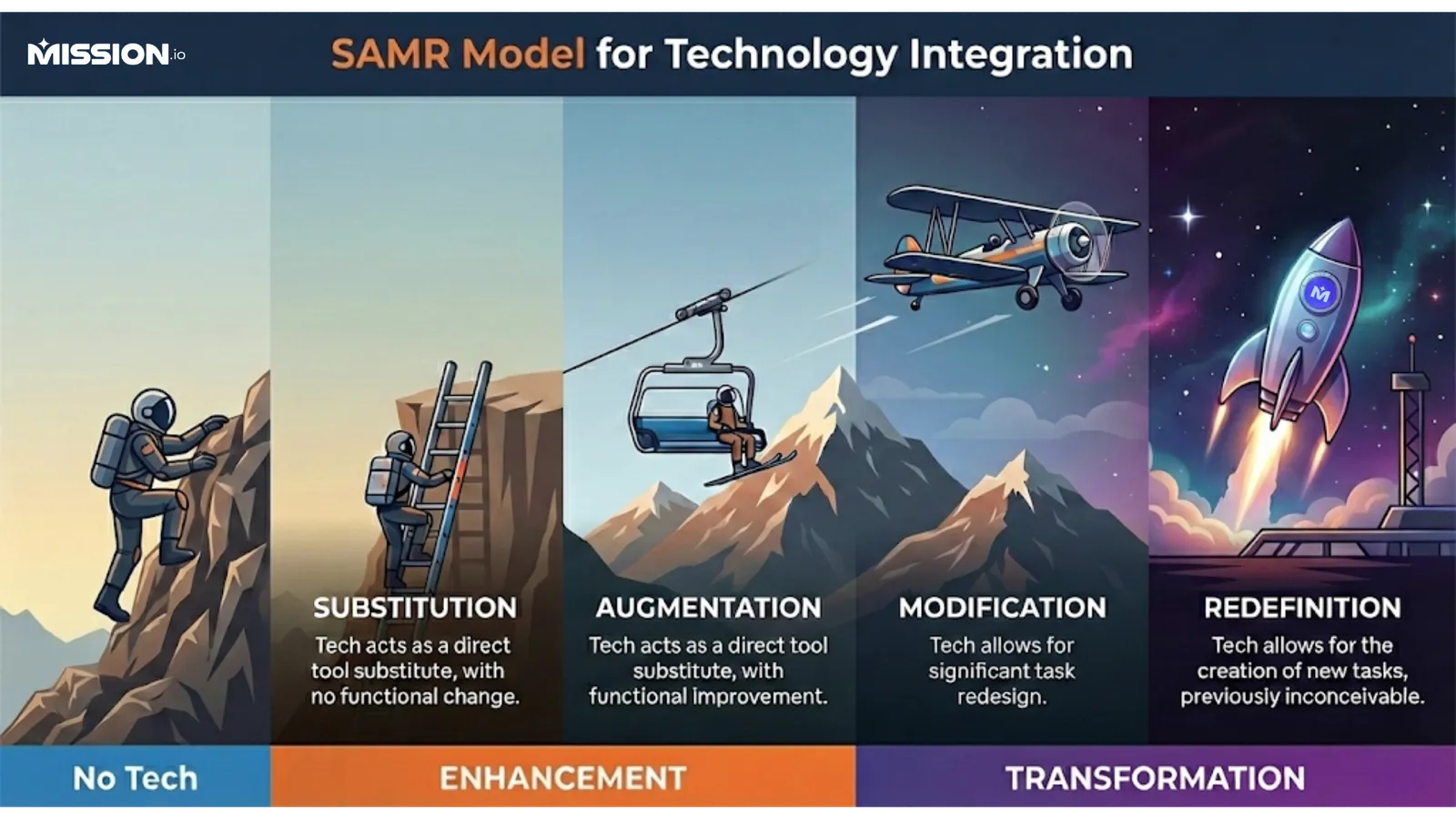
The SAMR model is a framework designed to help teachers purposefully integrate technology into their instruction. Developed by Dr. Ruben Puentedura, SAMR stands for Substitution, Augmentation, Modification, and Redefinition. These four stages reflect the different ways technology can influence the learning process, from simple enhancement to complete transformation.
Understanding this model helps teachers evaluate whether a digital tool is simply replacing a traditional one or making room for entirely new kinds of learning. Spoiler alert: sometimes it’s simply replacing paper with pixels. And that’s completely okay.
Why Teachers Need a Framework
Technology is everywhere in schools today, but not all tech use leads to better learning. It’s easy to get caught up in shiny apps and tools that promise results without considering if they actually support students.
SAMR gives educators a way to judge the technology they bring into the classroom. Instead of guessing, teachers can use it to see how a tool supports or hinders student learning. Basically, it’s a way to focus on tools that are most effective rather than trying out the clickbait you saw on TikTok.
Understanding the Four Stages
Substitution: A Direct Swap
At the Substitution level, technology simply replaces traditional tools. There is no change in function, only in format. For example, students type an essay in Google Docs instead of handwriting it in a notebook. The task remains the same, but the delivery changes. Think of it like swapping your paper planner for a digital one: same tasks, same chaos, but now it’s all synced to the cloud.
This stage isn’t inherently bad. In fact, it’s often a necessary starting point, especially when schools are just beginning to integrate technology. However, it offers the least impact on learning outcomes. Still… saving trees and avoiding deciphering hieroglyphic handwriting? That sounds like a win-win scenario to me.
Augmentation: A Bit of Boost
Augmentation goes one step further. Technology still acts as a substitute, but with functional improvements. Using the Google Docs example, features like spell check, sharing, and commenting now improve the writing process.
While the task hasn’t fundamentally changed, the learning experience becomes more efficient, more collaborative, and slightly more interactive. This stage builds digital literacy without overwhelming students or teachers.
Modification: Meaningful Change
At the Modification stage, the task itself changes in a significant way. Technology allows students to work in real-time with others, add multimedia elements, or revise based on peer feedback. The task gets redesigned around deeper engagement and collaboration. Say goodbye to group projects with one zealous overachiever and three mystery “contributors.”
This is a major turning point. Modification asks for more critical thinking and makes students active participants in their learning, because it starts to change how learning happens. This is also when you may realize students know tech better than you…honestly, that’s another win.
Redefinition: Something New
Redefinition allows for the creation of tasks that were previously inconceivable. For example, students might record a podcast on environmental issues or host a virtual museum tour for younger students. Basically, it’s the kind of project you wish you could’ve done in middle school instead of gluing pipe cleaners together and calling it a “diorama.”
Here, the use of technology fundamentally changes the role of the student. Instead of passively consuming content, they make things and solve problems together.
The Power of Progression
Each SAMR stage builds upon the last. Moving from substitution to redefinition isn’t a requirement, but it does reflect a shift toward student-centered, experience-rich instruction. The deeper you go, the more likely students are to engage in critical thinking and collaboration.
That said, not every lesson needs to hit redefinition. Use SAMR with intention. It doesn’t need to be perfect. There aren’t any “teacher of the year” awards that come from having redefinition in every lesson plan. Breathe easy.
Technology Integration Without the Overwhelm
For many teachers, integrating technology feels like just one more thing. SAMR is flexible enough to scale with your comfort level. You can start small to build confidence and then grow your practice over time.
You don’t have to abandon traditional methods overnight. Instead, use SAMR to find the balance between what works and what could work better. Remember: paper still works. Whiteboards will still be there. Caffeine will always be your best friend.
SAMR Is Not a Ladder. It’s a Lens
Many educators mistake SAMR for a hierarchy they must climb. It’s more useful as a lens through which to evaluate tech use. Sometimes, Substitution is the best fit. Other times, Redefinition opens new doors. One day, it may be a simple Google Form. The next one may be a full-blown student documentary. Both have value.
Use the model reflectively, and ask: What does this tool add to the learning experience? Does it create functional change or significant redesign?
Teaching Tools in Every Stage
Here’s how common tech tools might align with each SAMR level:
-
Substitution: E-books, digital worksheets, online PDFs
-
Augmentation: Google Forms with auto-grading, Kahoot quizzes with instant feedback
-
Modification: Jamboard for real-time group mind maps, Padlet for asynchronous brainstorming
-
Redefinition: Video storytelling with Flipgrid, virtual field trips using Google Earth, podcasts published for a wider audience, skill-building Missions with Mission.io
SAMR in Real Classrooms
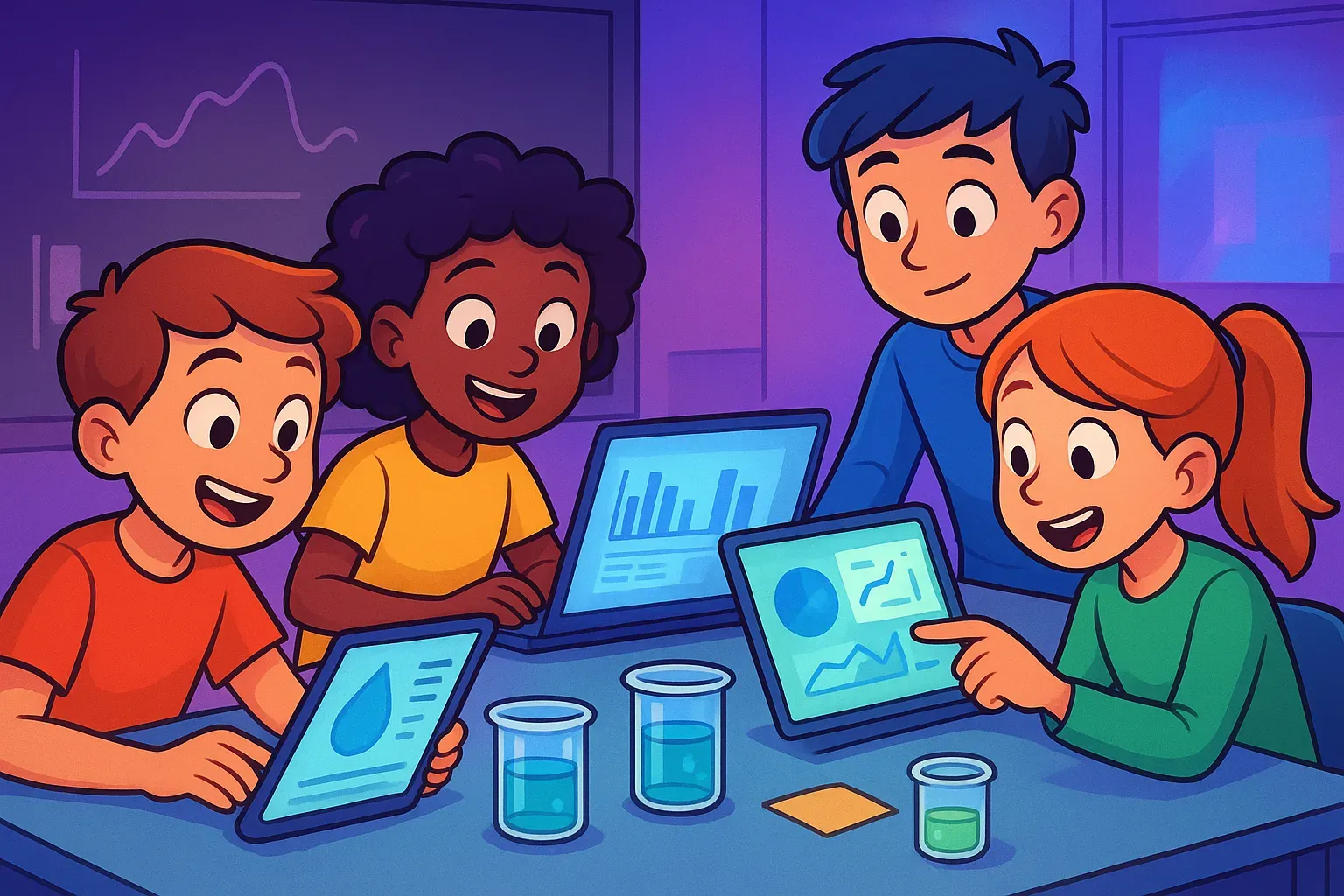
Let’s take a science unit on water quality:
-
At Substitution, students read an article online.
-
At Augmentation, they highlight and annotate using a digital tool.
-
At Modification, they collaborate on a research slideshow with real-time edits.
-
At Redefinition, they produce a multimedia presentation, conduct virtual interviews, and share their findings in a live online forum.
Each stage adds depth and complexity. But even simple steps forward can change the learning experience.
Students Actively Engage When It Matters
Technology doesn’t drive engagement by itself. But when tech enables students to explore ideas and connect with others, engagement follows.
When students actively engage with content and each other, they retain more and think more deeply.
Benefits of the SAMR Model
SAMR offers a practical path to:
-
Enhance student learning
-
Foster digital literacy
-
Support critical thinking
-
Encourage a growth mindset
-
Give teachers a common language to talk about tech
Supporting Students Through Each Stage
As you move through the SAMR levels, remember that students need support, too. To provide enough support, introduce tools slowly, give time to explore, and allow for mistakes. Model how to use tech meaningfully.
Use scaffolds and guided activities to help students build digital confidence before you turn them loose to work independently. When students feel capable, they’re more likely to take creative risks.
When to Stay at Substitution
Not every activity requires redefinition. Reading a novel, completing a practice quiz, or reviewing notes are tasks where digital versions work just fine. Some days, a digital worksheet works best. Avoid the glitter glue. Avoid the guilt.
Use SAMR to be intentional. Sometimes, simpler is better.
Functional Change Is the Pivot Point
The shift from Augmentation to Modification is a big one. Here, tech stops improving a task and starts changing it.
This is where you’ll often see more collaboration and creativity. It’s the sweet spot for many teachers.
The Role of Asynchronous Learning
In online learning environments, asynchronous tools are essential. SAMR helps educators choose tools that deliver content and also let students discuss, create, and connect at their own pace.
There are so many options for asynchronous learning! Try discussion boards, digital portfolios, or peer feedback.
Collaborative Features That Matter
Tech tools that allow students to work together in real time or across time zones add depth to learning experiences. Features like commenting, editing, and sharing push students toward collaboration and reflection.
Classroom Technology Implementation
Use the SAMR model as a guide when rolling out new tools. Ask: What problem does this solve? What learning goal does it support?
Don’t use tech because it’s trendy. Use it because it enhances learning in a meaningful way.
Common Mistakes to Avoid
Avoid these traps when integrating technology:
-
Using tech just to check a box
-
Mistaking digital substitution for real integration
-
Adding too many tools at once
Keep it intentional and aligned with your learning goals.
SAMR vs. Other Models
Unlike frameworks like TPACK or Bloom’s Taxonomy, SAMR focuses purely on the impact of technology on learning tasks. It doesn’t measure difficulty; it measures transformation.
That narrow focus makes it a quick tool for evaluating classroom tech use.
Professional Development and SAMR
Schools can incorporate SAMR into professional development sessions to build a shared understanding of tech integration. It offers a simple, structured way to discuss what works and what doesn’t.
Use it in tech audits, planning sessions, and team meetings to align goals.
Leveraging Tech for Deeper Thinking
The upper levels of SAMR, Modification and Redefinition, are where students push boundaries. These tasks ask students to apply what they know, think critically, and create original work.
Use these levels to design challenges that go beyond regurgitation and require synthesis, analysis, and creativity.
Making Technology Meaningful
Whether it’s Google Classroom, interactive simulations, or AI-based tools, SAMR helps you check that new tech serves student learning instead of novelty. Always ask: What value does this tool bring to my students?
Multimedia presentations can include far more than slides: voiceovers, infographics, animations, and live data. These tools allow students to share ideas in richer, more personalized ways. Teaching students to build strong multimedia content also builds transferable skills for the real world.
Small changes matter. Features like commenting or version history may seem minor, but they build momentum toward larger tech transformation. Look for small wins that make the learning process smoother and more engaging.
Empowering Students Through SAMR
The SAMR model challenges us to ask better questions: What can students do with this tool that they couldn’t do before? How can this task be more authentic?
SAMR is about giving students more voice and responsibility in their learning. It shifts the focus from teacher-led instruction to student-driven exploration, and it helps students think more deeply and express ideas in new ways.
A Final Word: Think Before You Click
Technology should never be a gimmick. Use the SAMR model to pause, reflect, and make strategic choices about which tools deserve a place in your classroom.
When used with purpose, educational technology can change a lot about how your students learn. (And if it makes grading a little easier, well, that’s just a big bonus.)
Where Mission.io Fits In
Mission.io supports teachers in turning SAMR theory into classroom practice. With ready-to-use, whole-class simulations (called Missions), teachers can integrate technology without reinventing the wheel. These Missions often hit Modification and Redefinition levels by asking students to analyze, create, and share their learning with wider audiences.
Every Mission is teacher-led and curriculum-aligned: the Mission carries the story, and you lead the thinking. That makes it easier to choose tech on purpose instead of by trend.