Top 10 Mission.io Upgrades for 2025-2026
Ryann Garland
The 2025-2026 school year is underway! Our team here at Mission.io could not be more excited for another year of Missions, collaboration, creativity, and student growth.
To make sure you and your students are getting the most out of your Mission.io experience, we have a couple of upgrades that we are excited to share with you. These upgrades come from your feedback, emails, and our own observations, so keep it all coming! We love hearing your ideas on how to make Missions more effective and engaging for students.
Today, we’ll focus on our top 10 upgrades that we’re most excited about, but these aren’t all of them. We’re highlighting these 10 so you and your students can take full advantage of them in every Mission. Keep an eye out for continued upgrades and changes, and let us know what else you would like to see from us.
Watch a video about our Top 10 Mission.io Upgrades for 2025-2026 here.
1. Dashboard Facelift
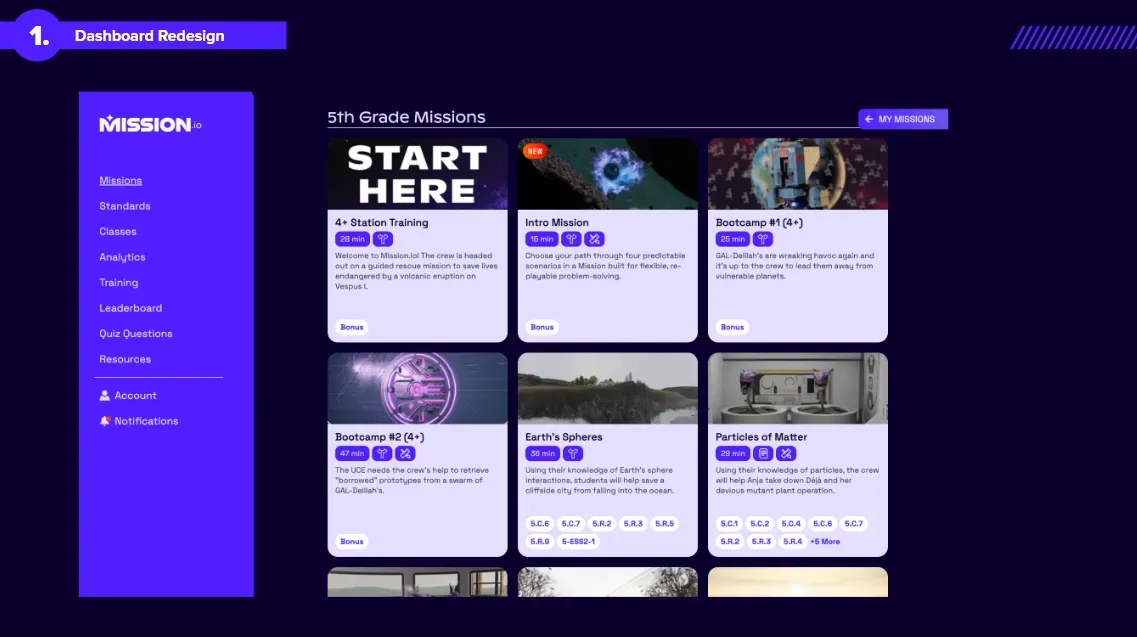
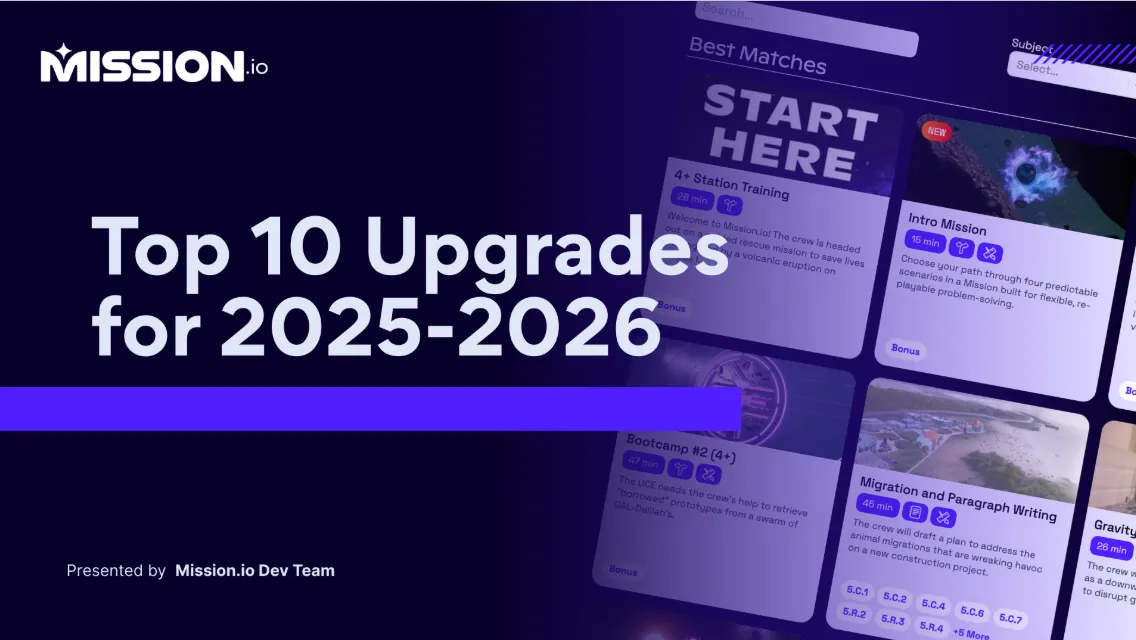
We’ve redesigned our thumbnails to show standards, subjects, and Mission types more clearly, so you can find Missions faster and know which ones fit your classroom. The facelift also adds three new icons for our three types of Missions: decision Missions, design Missions, and writing Missions.
2. Mission Walkthroughs
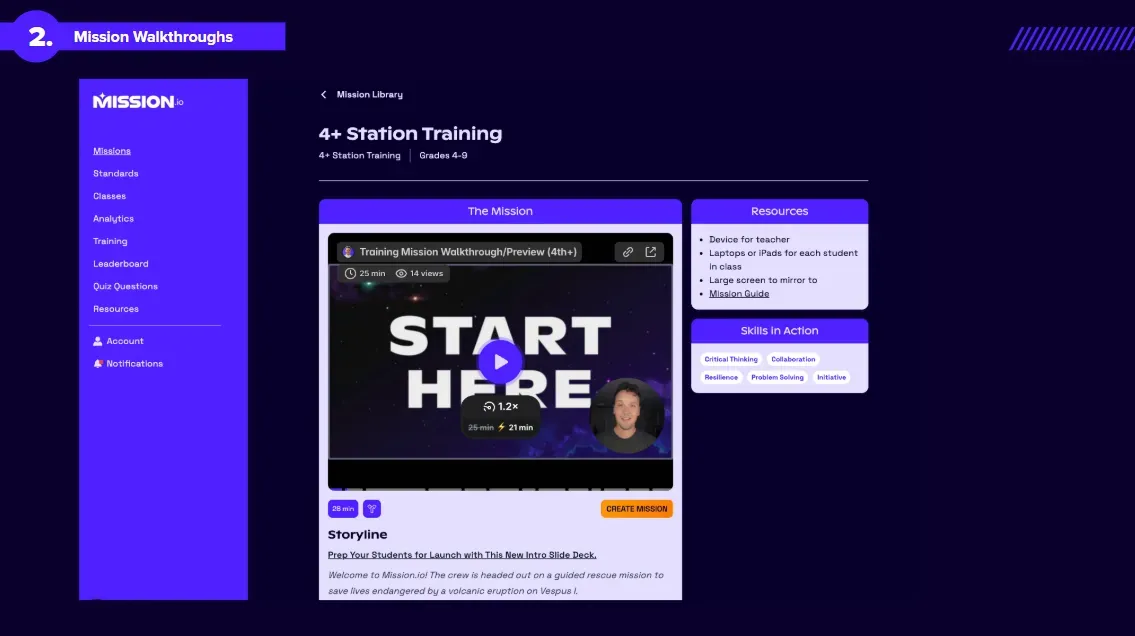
We want every Mission to have clear benefits and be accessible for teachers and students. Going forward, every Mission will have a built-in walkthrough video to help you prepare. The walkthrough will cover what the students will be doing, what success and failure look like, and how teachers can support students during that particular Mission. The videos will also have a chapters feature so that you can jump to the parts that are most relevant to you.
We want you to feel ready going into each Mission so you and your students get the most out of it.
3. Pre-Launch Orientation
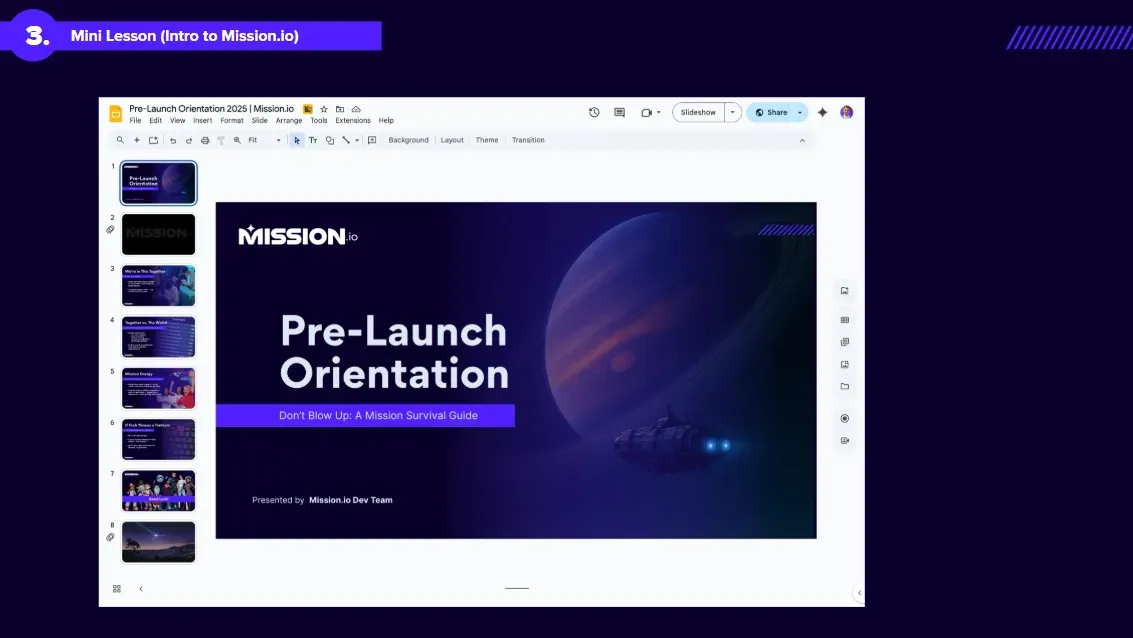
This new feature was inspired by you, the teachers who were taking initiative and doing this in your own classrooms. It introduces Mission.io and explains how a Mission works. Our pre-launch orientation (also find a Kindergarten to third grade how-to video here and a fourth grade and up how-to video here) walks you through the ins and outs of a Mission and the features you need.
There are three orientation slide decks, built for kindergarten through third grade, fourth grade and up, and faculty.
4. Accessibility Features Revamped and Expanded
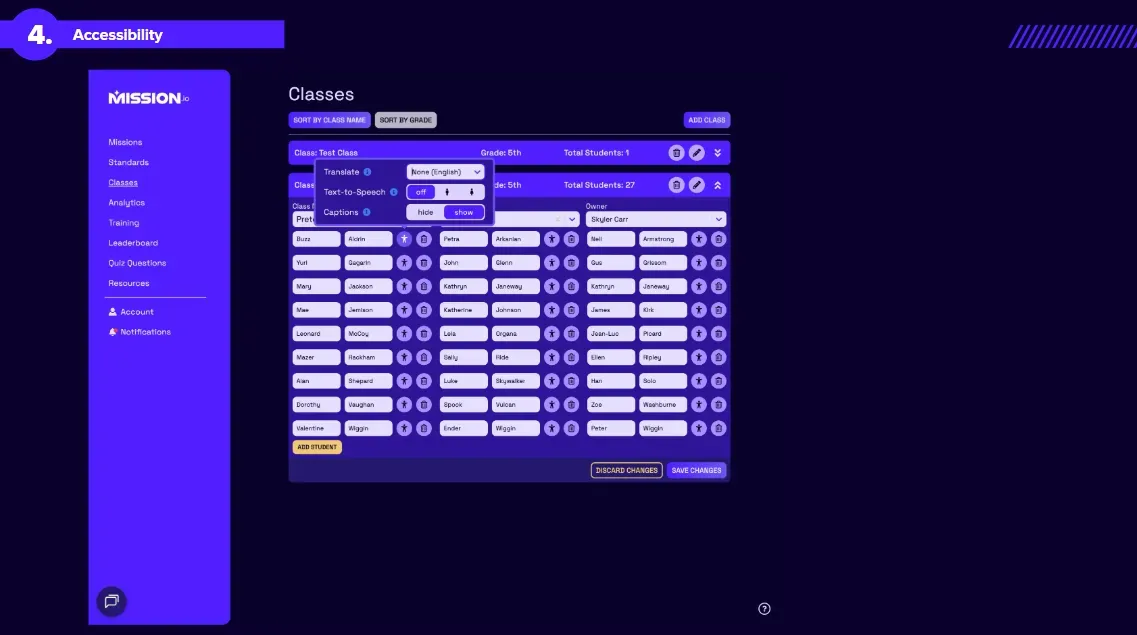
Our accessibility features are new and improved so that Missions can reach every student. There are now two ways to edit accessibility features. On the class list, there will be an “edit” option next to each student’s name. If you forget to edit this beforehand, don’t worry: you can edit accessibility features during the Mission for individual students as well.
Some of our revamped accessibility features include language translation (we’ve added new languages but are always looking for more, so send us your requests), a text-to-speech option, and captions on student screens. Once these accessibility features are added for a student, they’ll be set for every Mission, so you don’t need to change them each time.
5. Captions
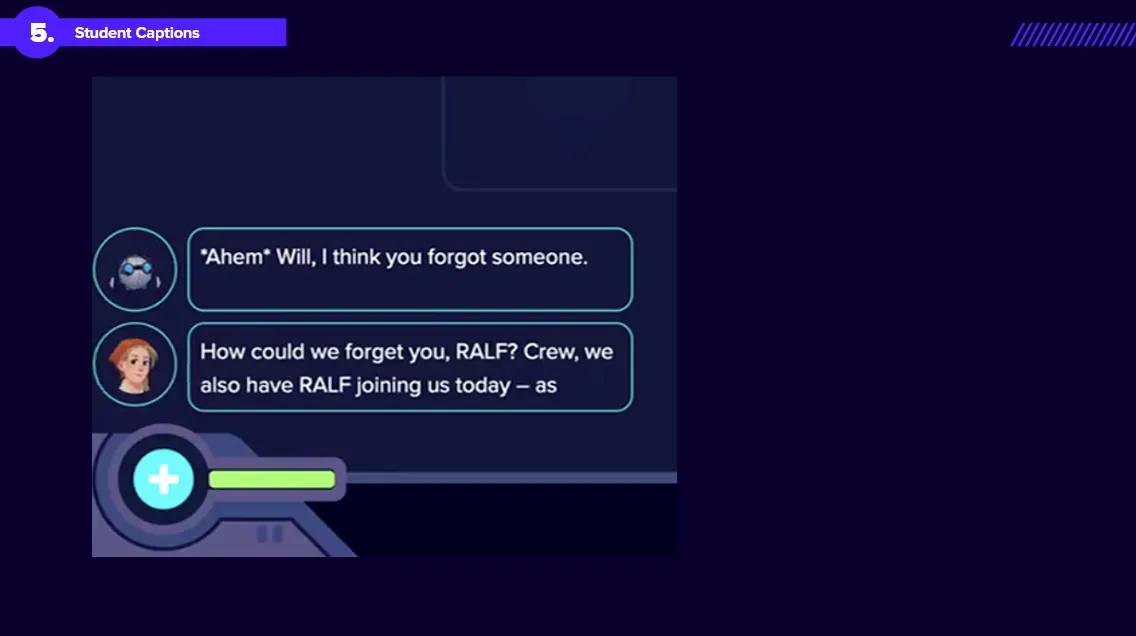
Speaking of captions, we are now making captions available for all students. When a character is speaking or giving instructions, students will see captions on their individual devices. They will now also be able to access a caption history so they can go back and review any important information they missed.
Students can also translate captions into their own language. Supporting students who are learning English is a top priority for us, and we’re excited to make Mission.io accessible to them and support their collaborative efforts.
6. Launch a Mission with No Class
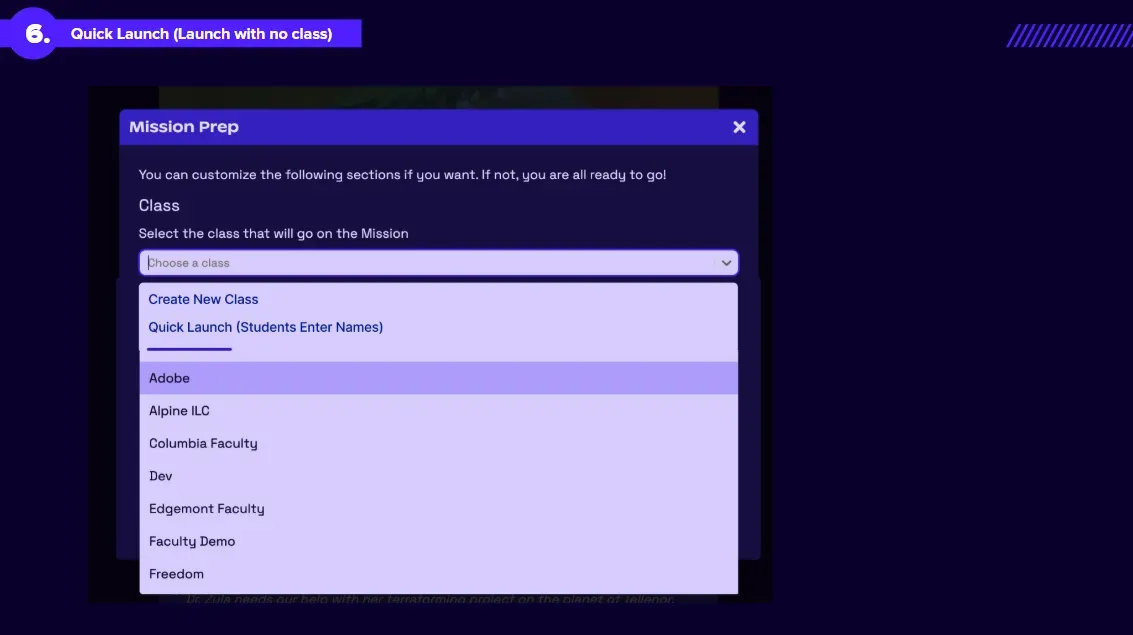
Do you have mixed classes? Changing rosters? Or simply no time to create a class before a Mission? This update is made with you and other specialty teachers in mind.
With the new quick launch feature, you can launch a Mission without building a roster first. Students will then add their own names and create a class. Once the Mission is over, you can save the class for future use, or delete it with no worries.
7. Move Students Around in the Lobby
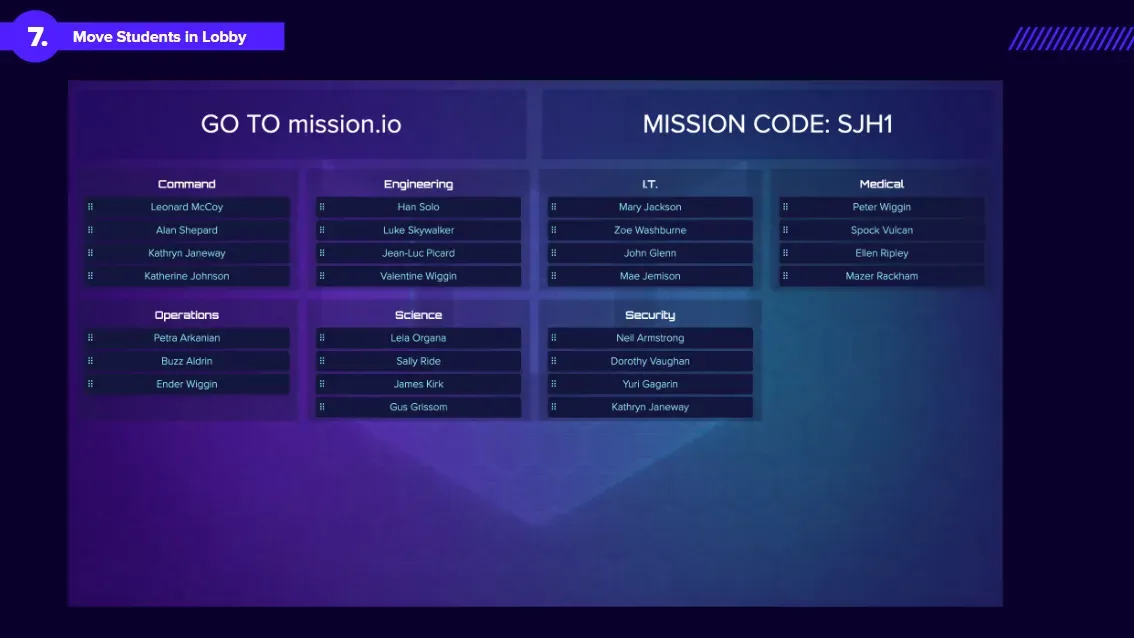
In the student lobby, reorganizing and balancing teams is now easier and quicker. With this feature, you can balance out teams if students are absent. You can also break up teams if there are some students who shouldn’t work together. You know the ones.
8. Annotation Station
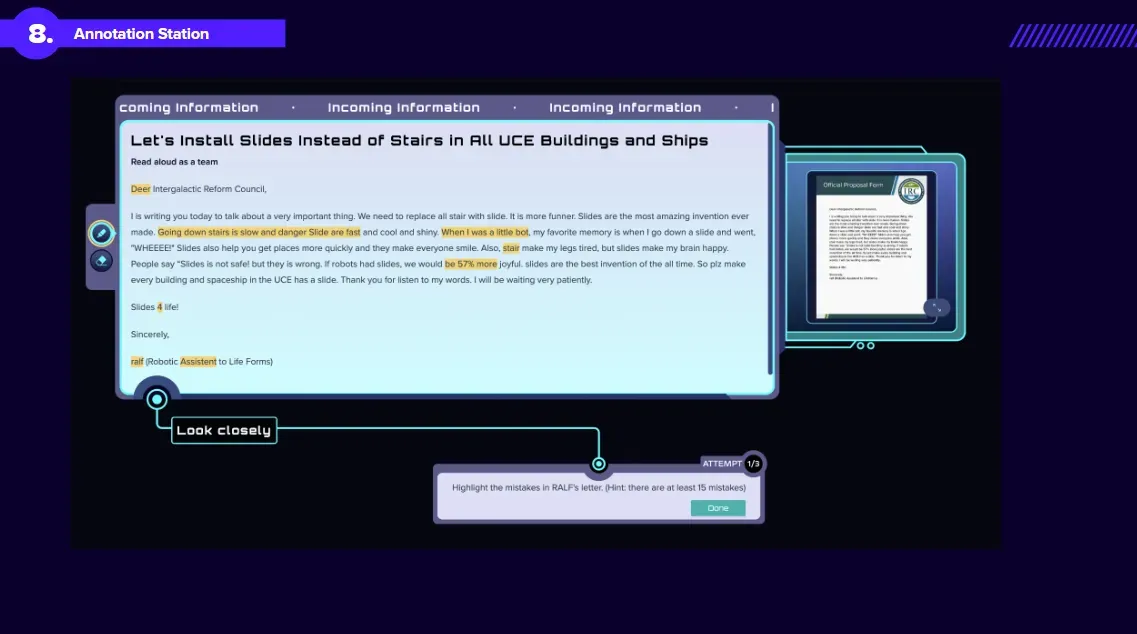
With our new annotation features, students can hold on to key information through an entire Mission. Students will sometimes be prompted to highlight or underline key details of a text. Whatever they underline becomes data they can come back to later in the Mission.
This feature is part of our push to integrate literacy standards into our Missions. Let us know how this works for your students and what successes you see from it.
9. Analytics Page Facelift
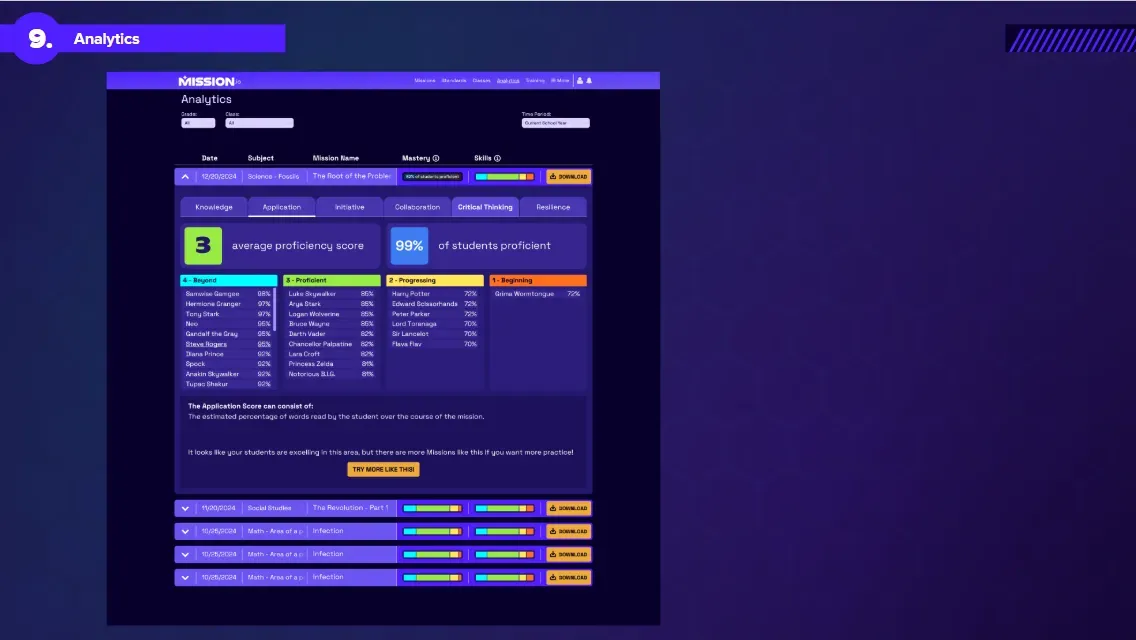
We want every Mission on Mission.io to be real learning time for students. Each Mission measures how students do on standards and skills, and now that’s easier for teachers to see.
On the updated analytics page, you can now better differentiate between subject mastery and other skills (such as collaboration or initiative). You will be able to see the class as a whole and how many students are proficient in a given area for that Mission, as well as how individual students performed on different standards and skills.
That shows teachers which areas need more focus for the whole class.
10. New Missions
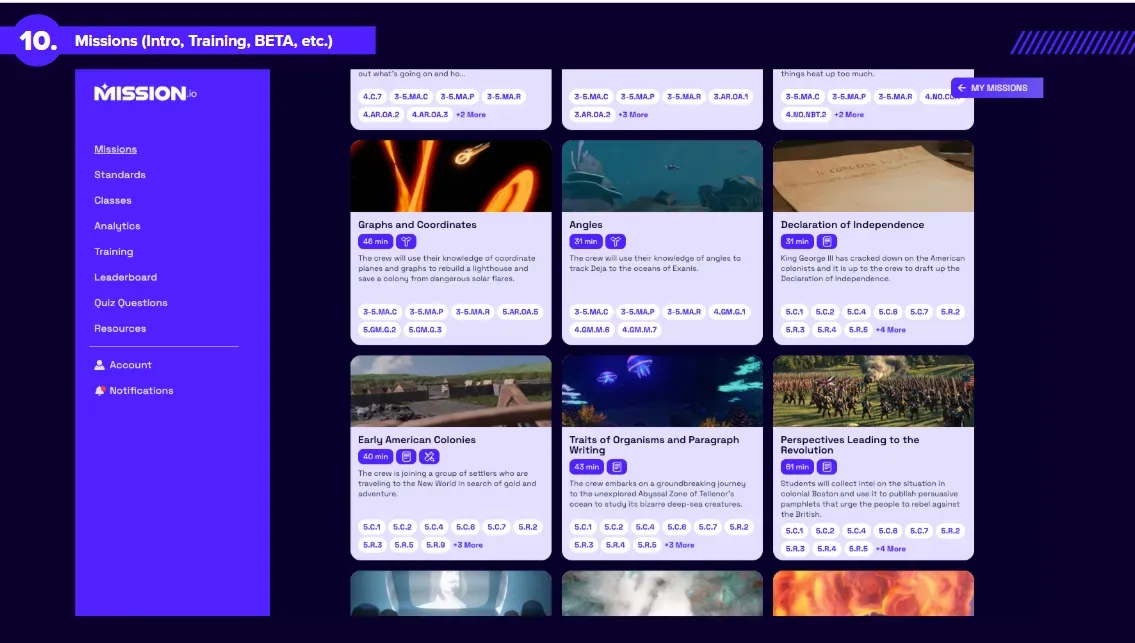
We’re constantly updating our Mission Library with new and exciting Missions. This school year, we have some of our favorite ones yet.
There are lots of new Missions for fifth grade students, but they’re also open to everyone. In particular, there are a lot of new Missions on social studies, writing, and scientific arguments. Try these out and let us know what you think, so we can start developing these Missions for other grades.
We’ve also edited our Station Training Mission for K-3. For 4th grade and up, we’ve completely rebuilt the Station Training Mission. For 4th grade and up, there’s also a new Intro Mission. This Intro Mission is a multipath Mission with different endings, so students can have a new experience every time.
Mission.io keeps improving. We’re excited for you and your students to take on so many new Missions this year. Contact us with feedback on these changes and any improvements you want to see next.